Frequently Asked Questions C-2
Usage Why does the player skip certain tracks?
The player will only play valid media formats (MP3 and WMA files). Other types of
media formats will be skipped.
Why are some files/tracks corrupted when transferred to the
player?
Transfer may have been interrupted. Before disconnecting your player from your
computer, stop your player first.
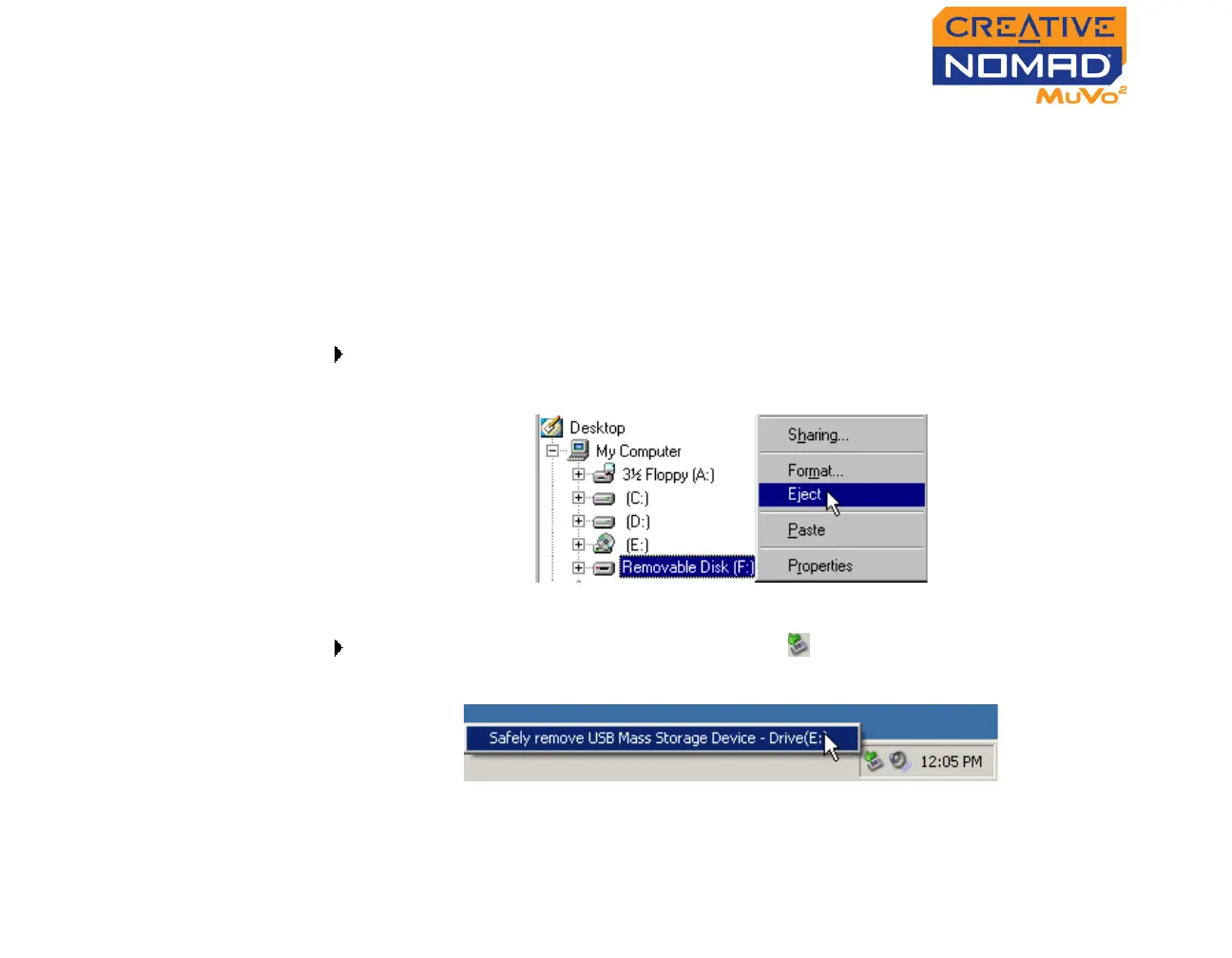
To stop your player in Windows 98 SE
In Windows Explorer, right-click the Removable Disk icon, click the Eject
option, and disconnect your player when you are prompted to do so.
To stop your player in Windows 2000, Windows Me or Window XP
Click the Safely Remove Hardware icon on the Taskbar, click Safely
remove USB Mass Storage Device, and disconnect your player when you
are prompted to do so.













 To Next Page