GETTING STARTED
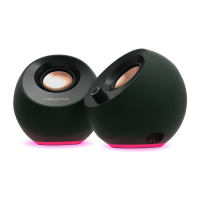
PEBBLE
PEBBLE V2
PEBBLE PLUS
POWERING THE SPEAKERS
FOR CREATIVE PEBBLE
Simply connect the Creative Pebble to
your PC or Mac via the (1) USB-A cable
for power and the (2) 3.5 mm AUX-in
cable for audio.
FOR CREATIVE PEBBLE V2
Connect the Creative Pebble V2 to your
PC or Mac via the (1) USB-C cable for
power and the (2) 3.5 mm AUX-in cable
for audio.
If your PC or Mac comes with a USB-A
port, please use the provided (3) USB-C
to USB-A converter.
FOR CREATIVE PEBBLE PLUS
To start, connect the (1) RCA cable to
subwoofer for better bass performance.
Then, connect the Creative Pebble Plus
to your PC or Mac via the (2) USB-A cable
for power and the (3) 3.5 mm AUX-in
cable for audio.
Alternatively, you can also power the
Creative Pebble series
Creative 30W PD Adapter.

 Need help?






 To Next Page
 General