Troubleshooting B-2
Insufficient system resources reserved for the USB port, causing the system to be unable to
function.
There are too many devices in the system, causing IRQ problems with the system’s USB controller.
Do the following:
1. Remove some devices from the system.
2. Restart the system.
The system will rearrange the resources automatically.
Problems in
Windows XP
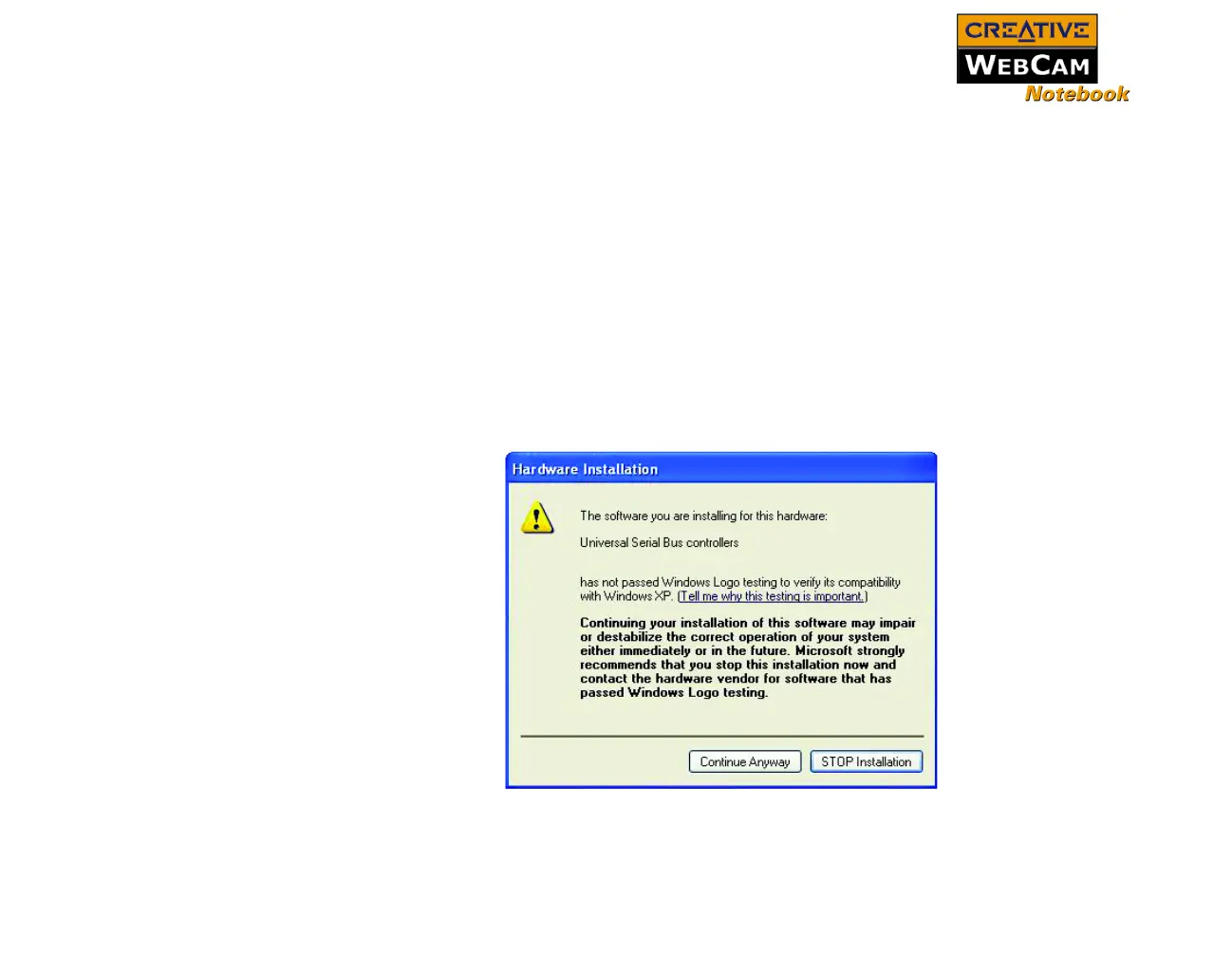
A Hardware Installation error message appears on a Windows XP operating system when
applications are being installed.
At the time of this product's release, Microsoft strongly encouraged companies to submit their hardware
solutions for certification. If a hardware device driver is not submitted, or does not qualify, for Microsoft
certification, a warning message similar to the one below appears.
You may see this message when installing a driver. If you do, you may choose to click the Continue
Anyway button. Creative has tested the driver on Windows XP, and it does not impair or destablize your
computer.








 To Next Page