5
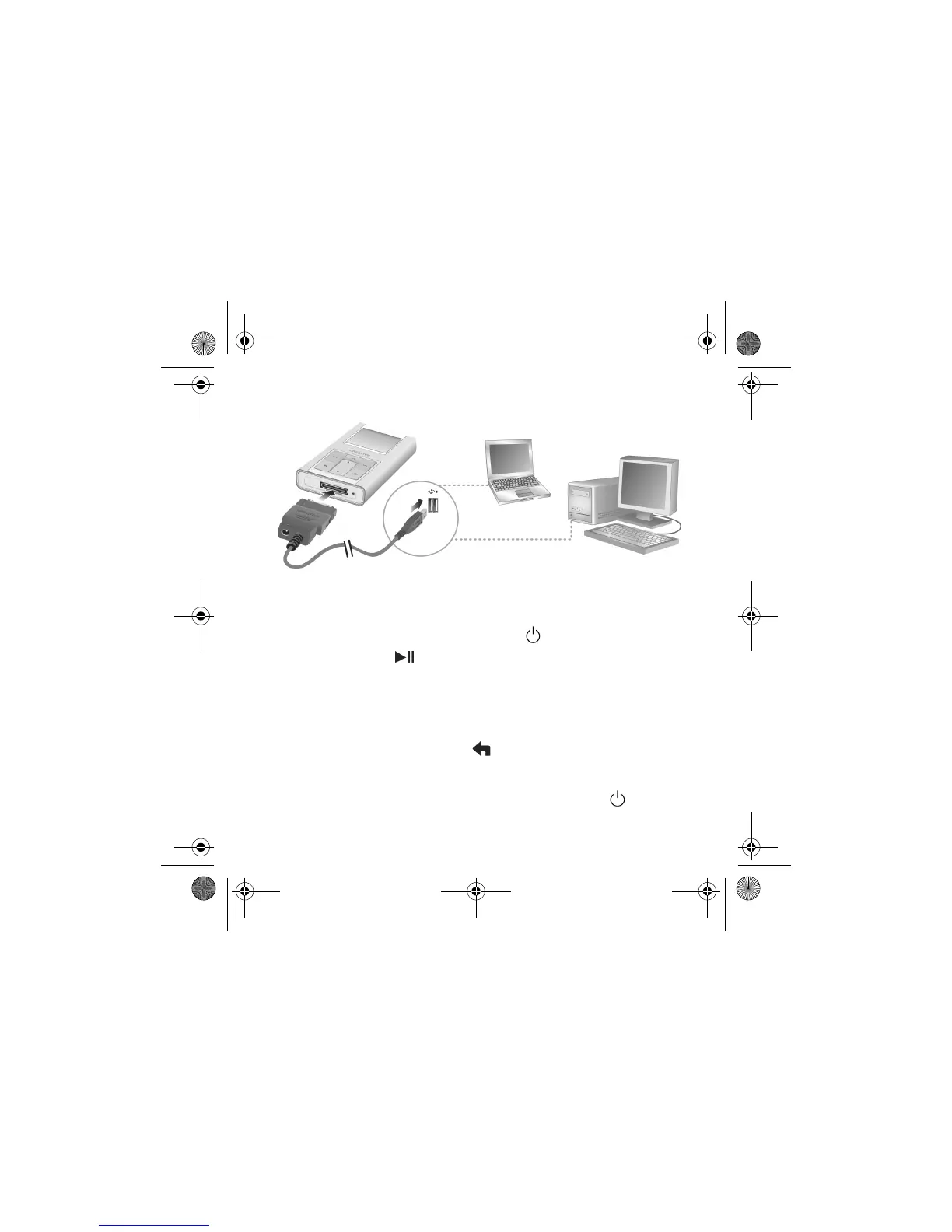
5. When prompted, connect your player to your computer’s USB port using the supplied
USB synchronization cable.
3
3
Tur n O n P l aye r
1. To turn on Zen Sleek, press and hold the Power button until the LCD lights up.
2. Press the Play/Pause button.
3. Connect your earphones and move your thumb up and down the Vertical Touch Pad to
adjust the volume.
4. When you turn on your player for the first time, the menu will be in English. To change
the language:
i. Press and hold the Menu/Back button . The main menu appears.
ii. Select the System option.
iii. Select the Language option, and then select the language that you want.
5. After you have finished using your player, press and hold the Power button until the
Shutting down message appears.
CLE_Zen Sleek QS.book Page 5 Friday, May 20, 2005 2:44 PM








 To Next Page