3
Getting Started
1
1
Charge Your Player
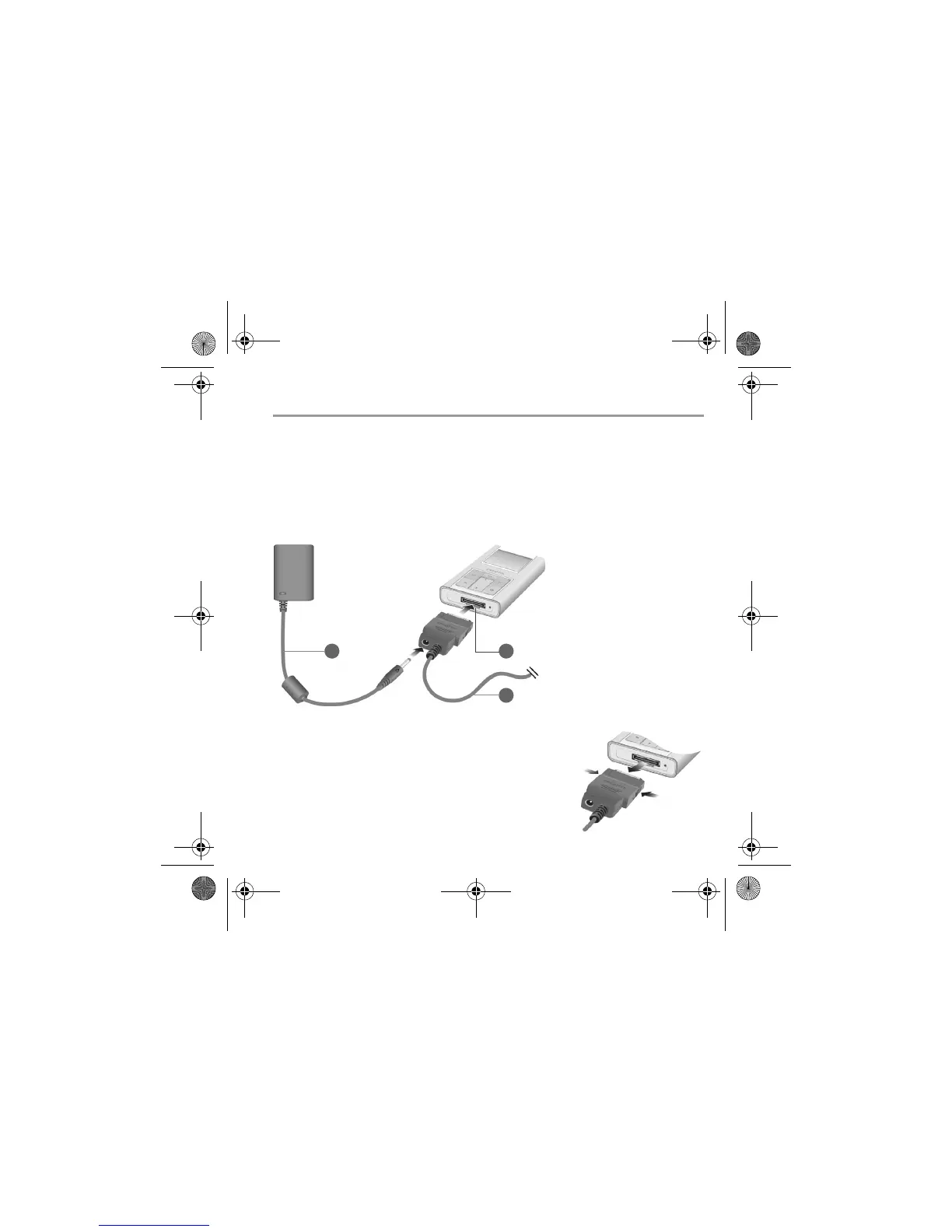
The high performance lithium-ion battery supplied with your player needs to be fully
charged before you use it. The battery is fully charged in approximately two hours. To
charge your player's battery, connect the power adapter to the USB synchronization cable
and wall outlet. Connect the USB synchronization cable to the Dock connector on your
player as shown in the diagram below.
Removing the USB synchronization cable
When removing the USB synchronization cable, press the
two buttons on the sides of the USB synchronization cable
connector to release the self-lock structure.
3
1
1. Power adapter cable
2. Dock connector
3. USB synchronization
cable
2
CLE_Zen Sleek QS.book Page 3 Friday, May 20, 2005 2:44 PM








 To Next Page