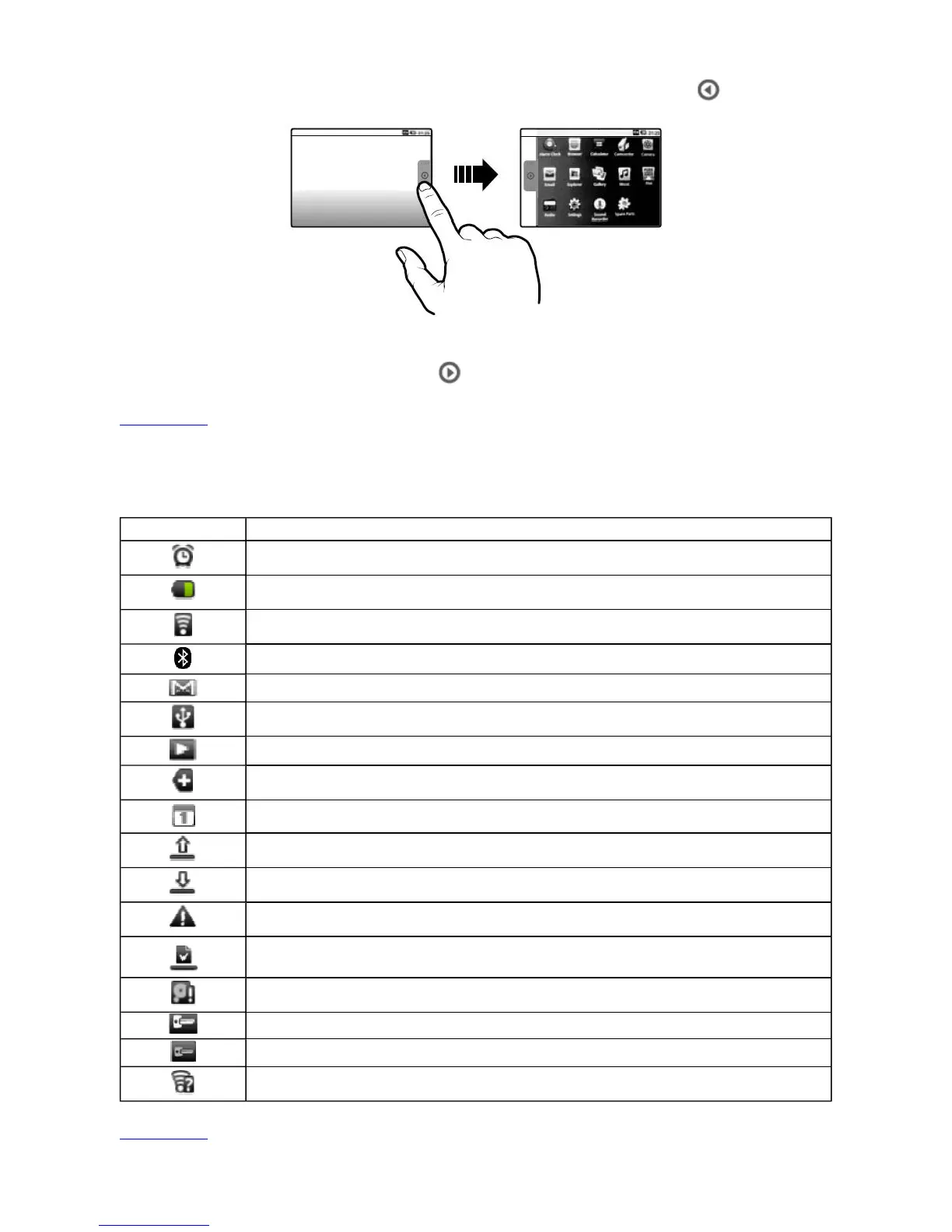
z To show or hide the Application screen, tap the tab that contains the icon.
z To start an application, tap the application's icon.
z To hide the Application screen, tap .
Back to top
Icons on the Status Bar
Back to top
Icon Meaning
Alarm is turned on
Battery status
Wi-Fi feature is enabled
Bluetooth wireless feature is enabled
New e-mail message
Connected via USB Cable
Music is playing
More notifications not displayed
Upcoming event
Uploading data
Downloading data
New notifications
Finished downloading
Memory card is full
Connected to a VPN
Disconnected from the VPN
An open Wi-Fi network is available
Pa



 To Next Page