10 Using the Vertical Touch Pad
■
To adjust the sensitivity of the Vertical Touch Pa
d, press the Menu/Back
button, and select
System
Player Settings Touch Pad
Sensitivity
. Sensitivity
can be set to low, medium or high.
■
To turn the Vertical Touch Pad's clicking
sound on and off, press the Menu/Back
button, and select
System
Player Settings
Touch Pad
Clicker
.
■
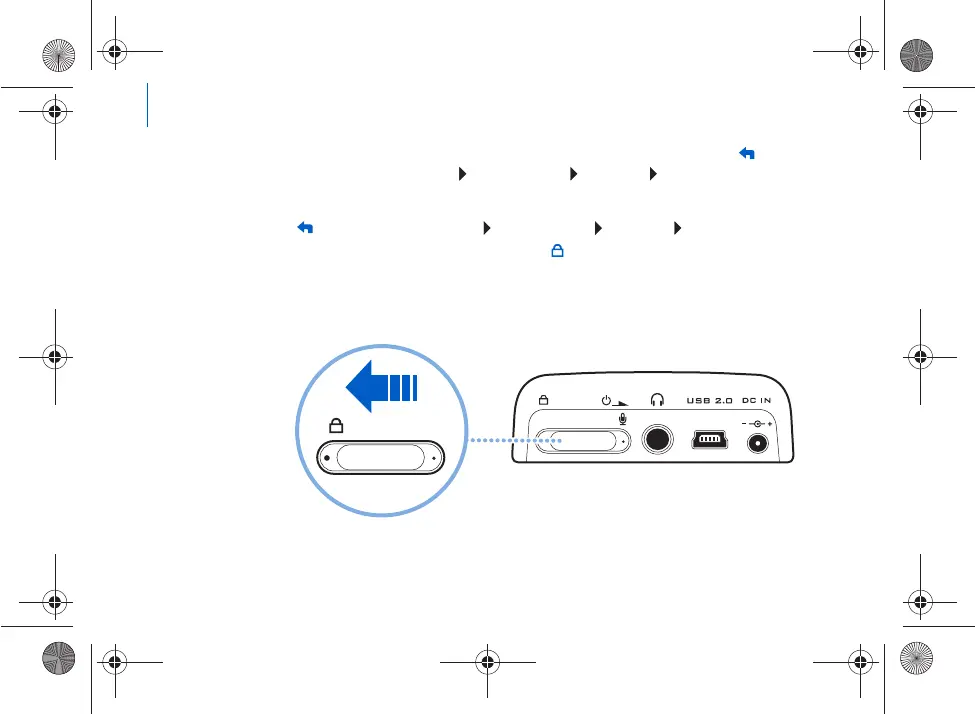
Slide the Power switch towards the Lock icon t
o disable Zen's Vertical Touch
Pad and buttons. This is useful when you do not want t
o activate controls
accidentally when your player is in your pocket or bag.
USB
Killer_new.fm Page
10 Wednesday, Januar
y 26, 2005 5:18 PM











 To Next Page