EasyManua.ls Logo

Creo Trendsetter 3244+ AL - User Manual

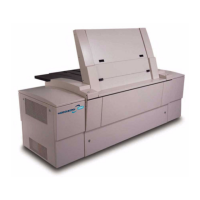
Creo Trendsetter 3244+ AL
134 pages
Print Icon
To Next Page IconTo Next Page
Loading...
www.creo.com
Operator Manual
English
Trendsetter 3244+ AL
version TS8
03-4165C-A
Internal 731-00318A-EN Rev A

Table of Contents

Questions and Answers

  • T
    Teresa ChristianSep 8, 2025
    How to fix 'Resolution specified is not available' error on Creo Printer?
    • C
      Christy CarlsonSep 9, 2025
      This error indicates that the Trendsetter is configured to use resolutions that are not available. Configure the workstation software to use a valid resolution.
  • S
    sdayAug 25, 2025
    What to do if my Creo Trendsetter 3244+ AL shows 'Emergency Stop switch on' error?
    • S
      Sheena MezaAug 25, 2025
      This error means the Emergency Stop switch on your Creo printer has been activated. To continue, reset the Emergency Stop switch.
  • J
    James HoffmanAug 25, 2025
    Why does my Creo Trendsetter 3244+ AL say 'Multiple plates on drum (or head) out of alignment'?
    • A
      Amber RussellAug 26, 2025
      This error indicates that the plate thickness measured by your Creo printer is much thicker than expected, likely because multiple plates are stuck together. To fix this: 1. Cancel the job, allowing the plates to unload automatically. 2. Separate the plates and reload them onto the load table, ensuring they don't stick. 3. Resubmit the job.
  • D
    David ClarkSep 22, 2025
    What does 'SCSI parity error while imaging' mean on my Creo Trendsetter 3244+ AL?
    • R
      Robert PayneSep 22, 2025
      Check the medium for image artifacts. If you find image artifacts, or if you think artifacts might be on the medium but are not visible, re-image the medium.
  • M
    Michelle JacksonSep 9, 2025
    What to do if my Creo Trendsetter 3244+ AL displays 'Plate loaded incorrectly, remove plate from drum'?
    • E
      elizabeth21Sep 9, 2025
      1. Open the front access panel. 2. In the workstation software, click Plate Removed. 3. Remove the plate from the drum. 4. Close the front access panel. 5. Check the workstation to confirm the plate size selected matches the actual dimensions of the plate you’re loading. 6. Resubmit job and try again.
  • M
    Michelle TerrellSep 14, 2025
    What does 'External debris blower filter not present' mean on my Creo Trendsetter 3244+ AL?
    • E
      Elizabeth LaneSep 14, 2025
      1. Shut down the output device. 2. Check to make sure there is a filter installed correctly in the debris removal cabinet. No other solution is available.
  • S
    stricklandstefanieSep 3, 2025
    Why does my Creo Trendsetter 3244+ AL say 'Unload carriage not in safe position to rotate cups'?
    • J
      Jose MartinSep 4, 2025
      This error indicates that the unload table traveller in your Creo printer couldn't find the rotate position, possibly because the plate is stuck. To resolve this: 1. Click the Resume button in the Suspend dialog box on the workstation. 2. After the plate unloads, check it for damage. 3. Resubmit the job.
  • C
    Christine KellySep 4, 2025
    Why my Creo Trendsetter 3244+ AL displays 'Couldn’t find plate edge due to dirty edge strip on drum'?
    • D
      Debra GreeneSep 4, 2025
      This message indicates that an edge-detection strip is too dirty to perform proper medium edge detection. Clean the edge-detection strips. Then, in the message box on the workstation, click the Resume button. The message box closes, and the output device tries the edge detection procedure again. If the retry fails as well, the Suspend dialog box is displayed again.
  • J
    jimeneznicholasSep 23, 2025
    What to do if Creo Printer displays 'One or both plate dimensions too small' error?
    • N
      Nathan AtkinsSep 23, 2025
      Check the plate type information to ensure the medium size stated on the workstation matches the size you loaded.
  • G
    griffinchristopherAug 29, 2025
    What to do if my Creo Printer displays 'Plate smaller than expected'?
    • G
      Gerald KentAug 29, 2025
      This error indicates that your Creo printer attempted to load a plate that was the wrong size. To resolve this: 1. Remove the plate(s) from the printer. 2. Load plates of the correct size onto the load table. 3. Ensure the dimensions of the plates match the dimensions selected on the workstation. 4. Resubmit the file from the workstation.

Summary

Using This Manual

Manual Usage Guide

Explains how to use the manual, including audience and conventions.

Font and Terminology Definitions

Details font usage, defines terms, and explains symbols used in the manual.

System Overview

General Safety and System Introduction

Covers essential safety, system overview, and components.

Consumables, Media, and Processing

Details supported media, consumables, and processing steps.

Key Features and Safety Systems

Highlights features like interlocks and safe operation practices.

Component Details and Operation Basics

Explains specific components like load table, operator door, and interface.

Media Handling and Orientation

Covers media sizes, dimensions, and orientation.

Operation

System Startup and Shutdown

Procedures for starting and stopping the Trendsetter.

Automatic Operation Guide

Detailed instructions for the primary automated workflow.

Manual Operation Guide

Instructions for single-plate manual loading and imaging.

Media Registration and Preparation

Steps for accurate media alignment and related preparation.

Maintenance Procedures

Maintenance Schedule and Safety

Overview of scheduled tasks and crucial safety precautions.

Cleaning Exterior and Interior Surfaces

Procedures for cleaning the device's internal and external parts.

Specific Component Cleaning

Details on cleaning the edge detection strip, plate roller, load table, and tray.

Panel Access and Filter Replacement

Guides for accessing panels and replacing air supply filters.

Replacing Desiccant Bag and Mylar Strip

Instructions for replacing the desiccant bag and mylar strip.

Troubleshooting Guide

Recovering from Errors and Suspend Conditions

Procedures for handling common errors and system halts.

Error Message Reference

Guide to interpreting and resolving error messages by category.

Specific Error Handling: Auto Loader and Carriage

Troubleshooting for auto loader and carriage specific errors.

Image Quality and Power Issues

Steps for resolving image quality problems and power failures.

Resetting Emergency Stop and Air Pressure

Procedures for resetting the emergency stop and addressing air pressure loss.

Part Numbers Information

Detailed Parts List

A comprehensive list of replacement parts and their numbers.

Labels Overview

General Label Information and Power Box Labels

Introduction to device labels and specific labels on the power unit.

Laser Safety Labels

Details on external and internal laser safety labels.

Various Safety Labels

Information on high leakage current, CE, CSA, and FCC labels.

Caution and Warning Labels

Details on static discharge, hazardous voltage, hot surface, and hand protection labels.

Regulatory Compliance Information

Electrical, Mechanical, and Laser Safety Compliance

Details on compliance with various safety standards.

EMI;EMC and Noise Emissions Compliance

Information on electromagnetic compatibility and noise limits.

Glossary of Terms

Key Term Definitions

Definitions of key technical terms used in the manual.

Creo Trendsetter 3244+ AL Specifications

General IconGeneral
Wavelength830 nm
TechnologyThermal
Resolution2400 dpi
Plate Thickness0.15 mm
Power Requirements200-240 V, 50/60 Hz, 16 A
Weight1200 kg (2645 lbs)

Related product manuals