Need help?
Do you have a question about the Crest Audio CA18 and is the answer not in the manual?
Precautions for unpacking, power connections, grounding, voltage verification, and basic setup.
Warnings regarding ventilation, heat sources, liquids, signal levels, and connection hazards.
Guidelines for switch operation, testing, avoiding hazards, and safe servicing access.
Introduction to CA Series amplifiers, their design, and quality assurance.
Procedures for notifying suppliers of damage and saving packing materials.
Details rack space requirements and mounting options for CA Series amplifiers.
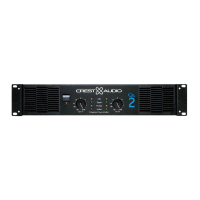
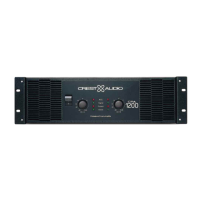
Description of Signal, Clip, Active, Protect LEDs and Input Attenuators.
Details Rack Mounting Ears, Optional Rack Handles, and Fan Outlet Grills.
Description of the front-panel AC Power Switch/Circuit Breaker.
Details 5-way binding posts or Speakon connectors for output connections.
Configures amplifier for Stereo, Parallel, or Bridged Mono Mode.
Lifts amplifier's signal ground to prevent ground loops.
Balanced 1/4" (TRS) & XLR Input Connectors and Fan Inlet Ports.
Input XLR Polarity and Input Sensitivity adjustments.
Details power needs, voltage configurations, and cooling system requirements.
Guidance on connecting audio signals to inputs and speakers to outputs.
Independent operation of both channels with separate level controls.
Signal on Channel A outputs to both Channels A and B.
Combines both channels into a single, powerful monaural amplifier.
Limits gain during clipping to protect loudspeakers from square waves.
Adjusts gain for safe operation into low impedance loads like 2 ohms.
Gradual gain increase on power-up and output disconnect for overheating.
Protection against short circuits, DC voltage, and subsonic frequencies.
Warnings about loudspeaker damage from excessive power, clipping, DC, or low frequencies.
Guidance on selecting appropriate wire gauge for speaker cables to minimize power loss.
Periodic cleaning or replacement of rear fan intake filters.
User's responsibility for correct installation, wiring, and operation.
All repairs must be done by qualified technicians or authorized service centers.
 General
| Power Output (8 Ohms Stereo) | 600W |
|---|---|
| Power Output (4 Ohms Stereo) | 900W |
| Power Output (8 Ohms Bridged) | 1800W |
| Signal to Noise Ratio | >100dB |
| Connectors (Input) | XLR and 1/4" TRS |
| Connectors (Output) | Binding posts and Speakon |
| Frequency Response | 20Hz - 20kHz |
| Input Sensitivity | 1.4V |
| Cooling | Variable speed fan |
| Dimensions | 19" x 3.5" x 17.5" (483mm x 89mm x 445mm) |
| Input Impedance | 20 kOhms balanced, 10 kOhms unbalanced |


 To Next Page