EasyManua.ls Logo

Crestron Electronics DM NVX Series - User Manual

Crestron Electronics DM NVX Series
82 pages
Print Icon
To Next Page IconTo Next Page
Loading...
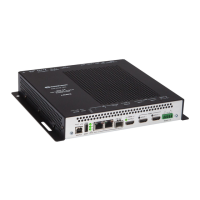
DM NVX® Network AV
Encoders/Decoders
DM-NVX-350
DM-NVX-351
DM-NVX-352
DM-NVX-350C
DM-NVX-351C
DM-NVX-352C
Product Manual
Crestron Electronics, Inc.

Table of Contents

Questions and Answers

  • J
    jbakerAug 3, 2025
    What to do if video is not displayed but audio can be heard on Crestron Electronics DM NVX Media Converter?
    • J
      jalvarezAug 3, 2025
      If you can hear audio but the video isn't being displayed, there are a few potential causes. First, the HDCP settings of the DigitalMedia devices in the signal path might not support the HDCP level of the source. Make sure these settings are compatible. Second, the display itself might not support the HDCP level of the source, so verify that it does. Finally, check if the correct video source is selected and switch the video source to the correct input if needed.
  • L
    Lori MartinAug 18, 2025
    Why is 4K60 4:4:4 video intermittent on my Crestron Electronics DM NVX Media Converter?
    • R
      Rebecca DavisAug 18, 2025
      Intermittent 4K60 4:4:4 2-channel non-HDR or 4K60 4:4:4 2-channel HDR video can occur for a few reasons. First, the display device might not be configured properly. Refer to the display device documentation for the correct configuration. Second, ensure you are using Crestron HDMI cables only. Finally, make sure the Crestron HDMI cable does not exceed the maximum length of 20 ft (6.1 m).

Summary

Introduction to DM NVX Encoders;Decoders

Physical Description of DM NVX Devices

DM-NVX-350;351 Front Panel

Describes the front panel connectors, controls, and indicators for specific models.

DM-NVX-352 Front Panel

Details the front panel components of the DM-NVX-352 model.

Rear Panel Overview

Explains the rear panel connectors and controls for DM-NVX-350/351/352 units.

Card Endpoint Descriptions

Covers the physical layout and components of card-based DM NVX units.

Configuration and Status

DMF-CI-8 Chassis Details

Information on chassis details for DM NVX cards.

Device Operation Modes

Configuring devices as encoders or decoders.

Automatic Point-to-Point Connectivity

Settings for direct device-to-device connections.

Stream Statistics

Displaying and resetting stream statistics.

Automatic Display Control

Automating display power on/off via RS-232, IR, or CEC.

Video Wall Processing

Configuring multiple displays for a video wall.

DM NAX Audio over IP (AES67)

Configuring AES67 audio over IP.

USB 2.0 Routing

Extending USB signals between devices.

Network Port Selection

Segregating network traffic by type.

Device Mode Locking

Controlling mode changes via front panel.

IEEE 802.1 X Authentication

Configuring network authentication.

Automatic Firmware Update

Scheduling and configuring automatic firmware updates.

IGMP Snooping

Troubleshooting DM NVX Devices

DM NVX Encoder;Decoder Troubleshooting

Common problems and solutions for DM NVX devices.

Appendix: Device Discovery

Crestron Electronics DM NVX Series Specifications

General IconGeneral
CategoryMedia Converter
BrandCrestron Electronics
SeriesDM NVX Series
Latency<1 Frame
Power over EthernetYes (PoE+)
Video InputHDMI
Video OutputHDMI
Audio InputHDMI
Audio OutputHDMI
Resolution SupportUp to 4096x2160 (4K) @ 60 Hz
Power Supply100-240V AC, 50/60Hz
Operating Temperature32° to 104° F (0° to 40° C)
Storage Temperature-20°C to 60°C (-4°F to 140°F)
Humidity10% to 90% non-condensing
DimensionsVaries by model
Video ResolutionUp to 4K @ 60Hz