Professional Automation Computer Crestron PAC2
2. Click Project | Edit Program Header.
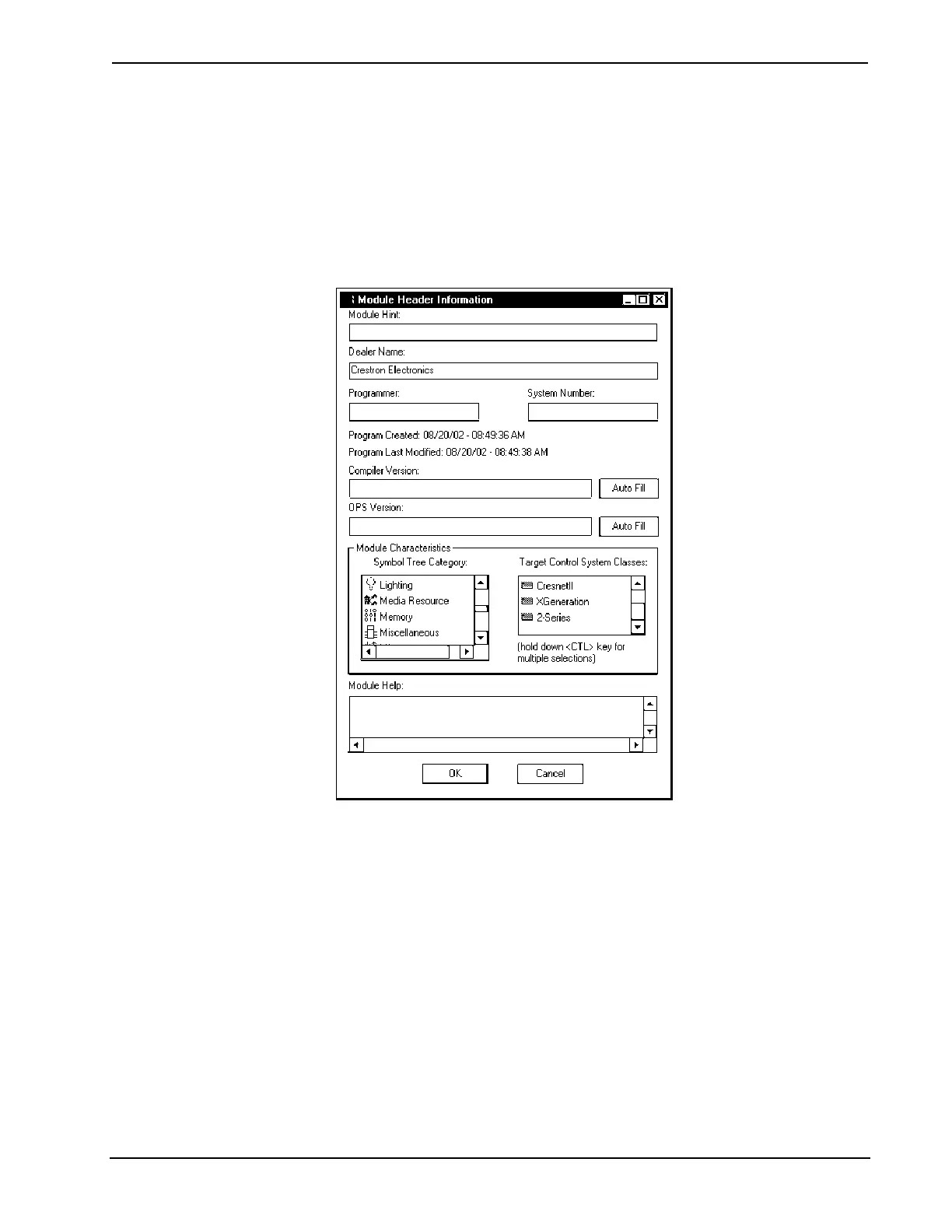
3. Click 2-Series in the Target Control System Classes list box (refer to
graphic below).
You can select other types of control systems as well, but then you will be limited to
symbols that are supported by all of these platforms. The module may still work on
unselected control systems so long as unsupported symbols are not used. Selecting a
control system means that you are requiring the module to work there.
“Module Header Information” Window
After you convert each module in a program, you can convert the program as
described previously: drag the PAC2 onto the existing control system in System
Views and click Yes to confirm the replacement.
For further information about compile-time errors and detailed explanations about
working with modules, refer to the SIMPL Windows online help file.
36 • Professional Automation Computer: PAC2 Operations Guide – Doc. 5941


 To Next Page