Cricket Remote Control Installation
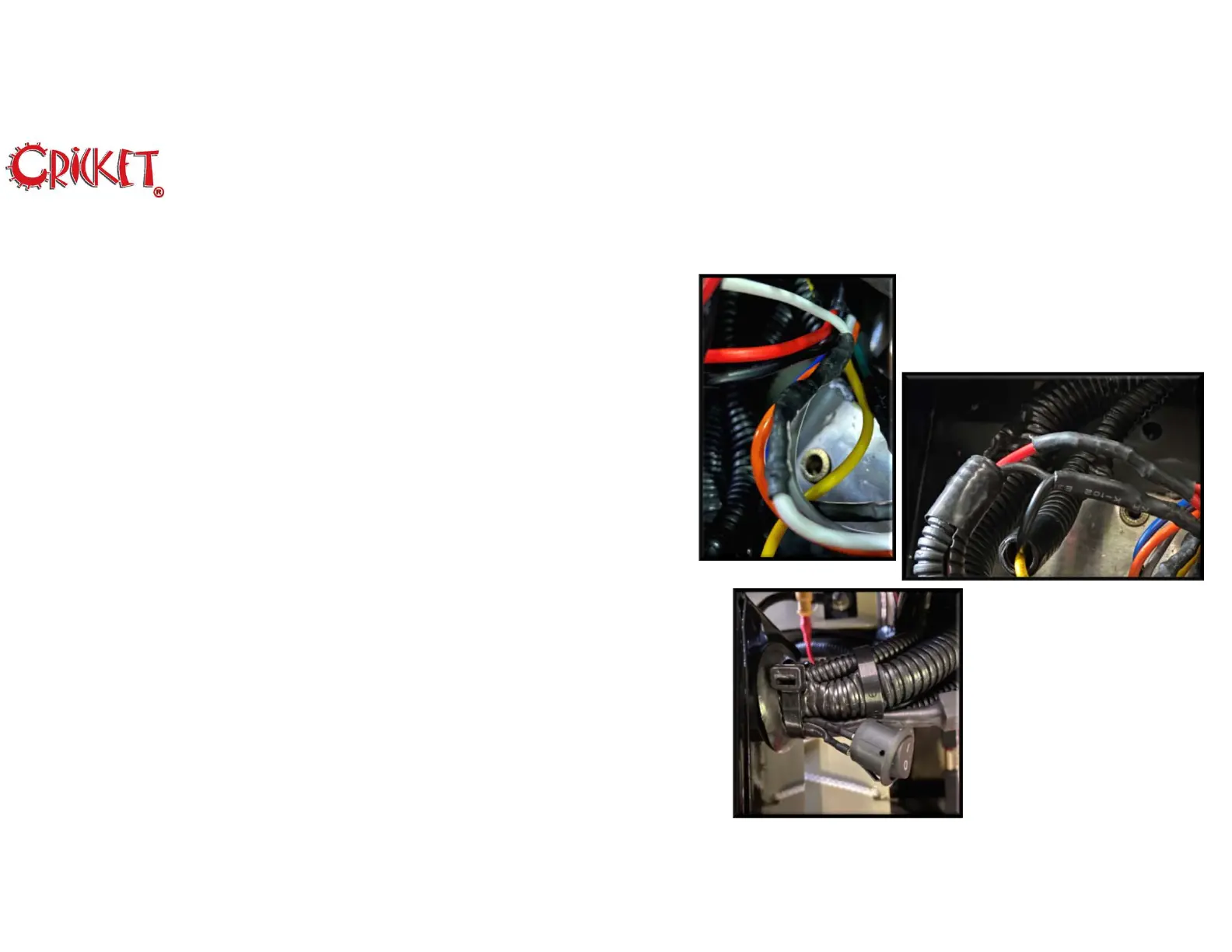
16. Connect the White cable from WH2 to the area where you
removed the insulation from the White cable in Step 12.
17. Locate the Red and Black cables you disconnected in Step 5.
Then approximately 3.5 inches from spade connector carefully
remove approx. ¼ inch of insulation from both cables.
18. Splice the Black cable from WH2 onto the Black cable used in
Step 17.
19. Splice the Red cables from WH1 and WH2 to the Red cable
used in Step 17.
20. Disconnect the Remote Control Enable Switch. Mark on one of
the Red cables so you can connect it back the same way. Then
route the cables through the access hole on the back of the
Controller Tray.
21. Connect the Remote Control Enable Switch making note of the
cable you marked so it’s connected the same way.
8
Rev 01222019 © 2020 Melbourne Cricket


 To Next Page