Need help?
Do you have a question about the Cricket moto g power 5g and is the answer not in the manual?
View a quick summary of alerts on your phone.
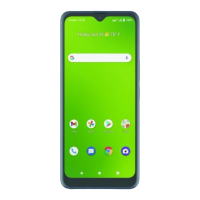
Personalize your home screen with apps, widgets, wallpapers, and styles.
Learn how to move, delete, create, and rename folders on your home screen.
Instructions on how to make a phone call using different methods like dialpad, favorites, recents, or contacts.
Learn how to manage multiple calls, answer incoming calls, or make a second call during an active call.
How to access and listen to new voicemail messages from the status bar.
Step-by-step guide on how to compose and send a text message on your phone.
Learn how to add attachments like GIFs, photos, or voice recordings to your messages.
Find detailed support information, device specifications, and the full user manual online.
Contact Customer Care or dial 611 for support directly from your phone.
Information on purchasing accessories from Cricket and where to find more details.
Guide to setting up your Google account and adding additional email accounts.
Steps to compose, send, and attach files to an email message.
Overview of Cricket-specific services like myCricket, Visual Voicemail, and theSCOOP.
Instructions for accessing Flashlight and Battery Saving Mode via Quick Settings.
How to log in or create a Google account to access the Play Store.
Browse apps by category or use the search bar to find specific games or apps.
Instructions on using the camera modes and buttons to capture photos.
How to access your photo gallery from the home screen.
Steps to start, record, and stop video recording using the camera.
How to share photos or videos from your gallery.
See which apps have permissions to access private information and manage them.
Customize your phone with themes, wallpapers, and layout.
Control your phone with gestures like screenshots, flashlight, and silencing calls.
Manage security, app permissions, and create a secret folder for sensitive data.
Find details of your phone's latest features.
Customize lock screen or enable Attentive Display to keep the screen on.
Focus on gaming with easy media controls and optimal audio.
 General
| Network Technology | GSM / HSPA / LTE / 5G |
|---|---|
| Dimensions | 166.8 x 73.8 x 8.5 mm (6.57 x 2.91 x 0.33 in) |
| Weight | 185 g (6.53 oz) |
| Build | Glass front, plastic frame, plastic back |
| SIM | Nano-SIM |
| Display Type | IPS LCD, 120Hz |
| Display Size | 6.6 inches, 104.9 cm2 (~87.2% screen-to-body ratio) |
| OS | Android 13 |
| CPU | Octa-core (2x2.2 GHz Cortex-A78 & 6x2.0 GHz Cortex-A55) |
| Macro Camera | 2 MP, f/2.4, (macro) |
| Features | LED flash, HDR, panorama |
| Selfie Camera Features | HDR |
| Selfie Camera Video | 1080p@30fps |
| 3.5mm jack | Yes |
| WLAN | Wi-Fi 802.11 a/b/g/n/ac, dual-band |
| Bluetooth | 5.3, A2DP, LE |
| NFC | Yes |
| USB | USB Type-C 2.0 |
| Sensors | Fingerprint (side-mounted), accelerometer, gyro, proximity, compass |
| Battery | Li-Po 5000 mAh, non-removable |
| Charging | 15W wired |
| 5G Support | Yes |
| Status | Available |
| Resolution | 1080 x 2400 pixels, 20:9 ratio |
| Chipset | MediaTek Dimensity 930 (6 nm) |
| RAM | 4GB |
| Internal Storage | 128GB |
| Expandable Storage | microSDXC |
| Main Camera | 50 MP, f/1.8, (wide), PDAF |
| Ultrawide Camera | 8 MP, f/2.2, 118˚ (ultrawide) |
| Video | 1080p@30fps |
| Selfie Camera | 16 MP, (wide) |
| Loudspeaker | Yes |
| Positioning | GPS, GLONASS, GALILEO |
| Colors | Black |


 To Next Page