43
1
4
7
9
2
8
3
5
6
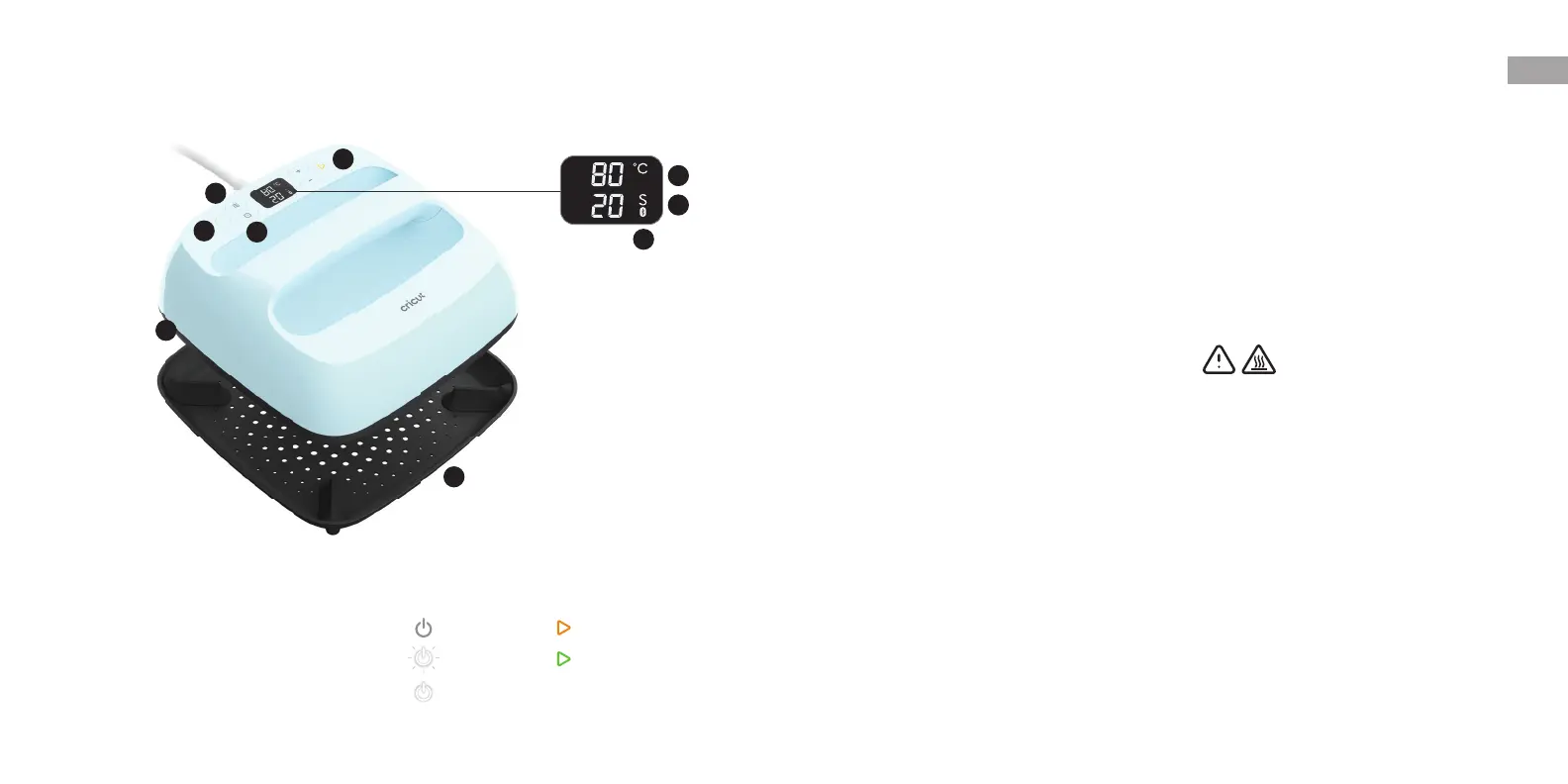
Get to know your Cricut EasyPress3 Use your smart heat press
1 Power Button
2 Temperature Button
3 Temperature
4 Time Button
5 Time
6 Bluetooth
®
7 Go Button
8 Heat Plate
CAUTION: Gets
very hot during use
9 Safety Base
INDICATOR LIGHTS
Heating upStand by
Ready to useActivation mode
Machine on
Before first use, heat press will be in activation
mode, download Cricut Heat™ app to activate.
Once connected, send precise settings & get
step-by-step instructions for every project from
your mobile device.
For best results
• Always press on a sturdy, stable foundation
• Avoid pressing on heat-sensitive surfaces
• Protect your surface with Cricut pressing
mat orthick bath towel
• Avoid seams, buttons, zippers & bumps
• For detailed instructions, follow on-screen
appprompts
EN
Manual control
• Press Power Button (1) to turn on/heat-up
• To set temperature, press Temperature Button
(2), use +/- to adjust
• To set time, press Time Button (4), use+/-to
adjust
• To start countdown, press Go Button (7), beep
signals time is up
• Press Power Button (1) to turn off
• Auto-off after 13 minutes of inactivity
CAUTION: Heat plate (8) gets very hot duringuse.
Always return to safety base when not in use.


 To Next Page