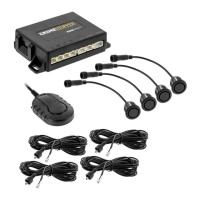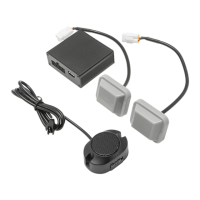
EasyManua.ls Logo

CrimeStopper BSD-200 - User Manual

CrimeStopper BSD-200
60 pages
Print Icon
To Next Page IconTo Next Page
Loading...
1230-62147-01-A
MICROWAVE BLINDSPOT DETECtION SYSTEM
Installation manual
CONGRATULATIONS on your choice of a CrimeStopper premium Universal, MICROWAVE BLINDSPOT DETECTION system.
This booklet contains all of the necessary information for connecting and using your MICROWAVE BLINDSPOT
DETECTION system. If any questions should arise, contact your installation facility or check out the Knowledge
Base at www.crimestopper.com
BSD-200

Questions and Answers

Summary

BSD-200 Microwave Blindspot Detection System

Warranty Information

What is Covered

Details warranty coverage for CrimeStopper products, including conditions and limitations.

Who is Covered

Specifies the original purchaser eligible for warranty service and required documentation.

What is Not Covered

Lists exclusions from warranty, such as damage from accident, abuse, or improper installation.

Implied Warranties & Liability

Defines limitations on implied warranties and unauthorized liability assumptions.

How to Obtain Service

Provides contact information and steps for returning products for warranty service.

Introduction to the BSD-200 System

Wiring Harness Diagram

Wire Harness Layout

Mounting the Main Control Unit (MCU)

Wire Connection Details

Ground Connection Procedure

Explains the importance of grounding the MCU first to prevent short circuits.

Reverse Input Connection Procedure

Details connecting the purple wire to the vehicle's reverse signal for activation.

System Specifications

Operating Voltage and Current Draw

Specifies the required power input and the low operating current draw of the system.

Sensor Capabilities and Range

Outlines sensor specifications including angle adapters, mounting, and detection range levels.

Alerts, Sensitivity, and Self-Test Features

Details the system's audible/visual alerts, sensitivity levels, and self-test function.

Key Features and Benefits

Hidden Sensor Design

Microwave sensors mount behind bumpers for a clean, integrated installation.

Visual Alert Options

Offers two LED options for visual alerts: surface and flush mount designs.

Angle Brackets for Optimal Mounting

Includes three angle brackets to ensure correct sensor alignment and reduce false alerts.

Self-Testing and All-Weather Design

Features automatic self-diagnostics and IP67 rated components for durability in all conditions.

Audible Alert Trigger Logic

Provides audible alerts only when the turn signal is active, enhancing safety warnings.

Finding Bumper Angle for Mounting

Bumper Shape Identification Guide

Guides users to select the correct sensor angle template based on vehicle bumper shape (A, B, C).

Optimizing Sensor Mounting Point

Template Alignment for Positioning

Illustrates using a template aligned with the side mirror to find the optimal sensor mounting position.

Sensor Mounting Height Guidelines

Sensor Mounting Location Details

Sensor Mounting Procedure - Part 1

Determine Bumper Type and Angle

Steps to identify bumper type and use angle templates for optimum sensor placement.

Mounting Height and Clearance Check

Ensures sensors are mounted at the correct height (17.75-31.5 inches) and have adequate clearance.

Flat Mounting Recommendation

Notes that sensors should be mounted as flat as possible for best results.

Sensor Mounting Procedure - Part 2

Secure Sensor to Adaptor

Instructions for attaching the sensor to the mounting angle adaptor using provided screws.

Prepare Mounting Surfaces

Details cleaning surfaces with alcohol pads for both the adaptor and the bumper for secure adhesion.

Cold Climate Mounting Note

Advises warming the bumper to room temperature in cold climates for proper adhesive bonding.

Visual Alert Installation Options

Surface Mount LED Installation

Installs the LED using two-sided tape on the surface of the chosen area.

Flush Mount LED Installation

Requires drilling a hole for a more integrated, OEM-style finish with the provided hole saw.

Optimum LED Location Advice

Recommends placing LEDs near the A-pillar base where it meets the dashboard.

Audible Alert Mounting Recommendations

Mounting Behind Rear View Mirror

Suggests mounting behind the rear view mirror for easy audibility and volume adjustment.

Mounting Behind Drivers Knee Bolster

Recommends the knee bolster area for accessibility to wiring and volume controls.

System Operation and Self-Diagnostics

How the System Powers On

Explains how ignition and starting the vehicle activate the BSD-200 system.

Interpreting Self-Diagnostic Results

Details the system's automatic self-test upon power-up and how to interpret LED indicators.

Main Control Unit (MCU) Diagram

MCU Settings Configuration

Switch 1: Light Delay Settings

Configures the delay for the visual alert light, with 'Normal' and 'Long' options.

Switch 2: Detection Mode Settings

Sets the detection sensitivity, choosing between 'Normal' and 'High' modes.

Switches 3;4: Sensitivity Levels

Adjusts the overall detection sensitivity, offering 'Least', 'More', and 'Most' sensitive settings.

Troubleshooting Common Issues

Failed Self-Diagnosis Troubleshooting

Solution for failed self-diagnosis involves checking sensor harness connections.

No Audible Alert Troubleshooting

Troubleshooting steps for absent audible alerts, including checking speaker power and condition.

No Visual Alert Troubleshooting

Solutions for missing visual alerts, focusing on connection checks and LED integrity.

Response Time and False Alerts

Addresses slow system response by waiting and false alerts by testing in open areas.

CrimeStopper BSD-200 Specifications

General IconGeneral
OPERATING VOLTAGE9-16 V DC
OPERATING CURRENT DRAW<200mA
SENSITIVITY LEVELLEVEL’S 1-4 LEVEL 1 - 26’ (8M) LEVEL 2 - 33’ (10M) LEVEL 3 - 39’ (12M) LEVLE 4 - 49’ (15M)
SELF-TESTYES
NUMBER OF SENSORS2
SENSOR ANGLE ADAPTORSYES, 3 PER SIDE
ANGLE FINDERSYES, 3 AT DIFFERENT ANGLES
SENSORS MOUNTINGBEHIND BUMPER, NO DRILLING
AUDIBLE ALERTYES, INCLUDED. ADJUSTABLE VOLUME
VISUAL ALERTYES, 2 OPTIONS

Related product manuals