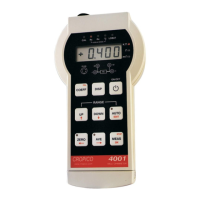
Operating Instructions
Microhmmeter Type DO5000
20
4.9 Measure/Hold function
Press [Mes] to hold the measured value on the display. NOTE this does not interrupt the
measuring current which will still be flowing through the resistance being measured.
WARNING when measuring with 10 Amps measuring current, it is possible to produce small
sparks at the current terminals. Press [Mes] to resume display of measured values.
4.10 Measure Stop Function
Press [STOP] to stop the measurement this disconnects the current from the terminals and
internally shorts the current terminals discharging any voltage that may be stored in capacitive
samples.
4.11 ZERO Function
Press [ZERO] to null the current display reading to zero, all subsequent measurements will be
relative to the nulled value. Pressing [ZERO] again cancels the zero. Changing range or
selecting auto range also cancels the zero.


 To Next Page