
 Need help?
Do you have a question about the Crosley CR2405D and is the answer not in the manual?
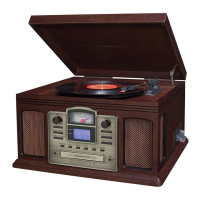
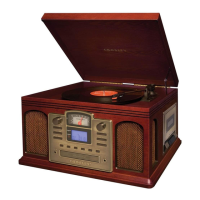
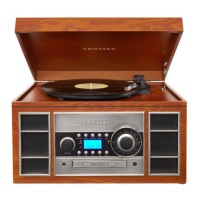
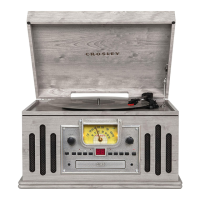
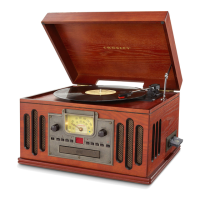
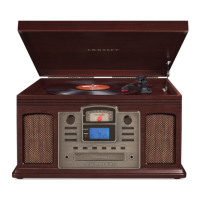
The Crosley CR2405D Director Turntable is a versatile audio system designed to play vinyl records, CDs, cassettes, and radio, while also offering Bluetooth connectivity and the ability to record vinyls or cassettes onto CDs. This all-in-one unit combines classic aesthetics with modern functionality, making it a central piece for any audio enthusiast.
The core function of the CR2405D is to provide a comprehensive audio playback experience. It features a turntable for playing vinyl records at multiple speeds (33 1/3, 45, and 78 RPM), a CD player for digital audio discs, a cassette player for tape enthusiasts, and an AM/FM radio tuner for broadcast listening. Additionally, it includes an Aux In jack, allowing users to connect external audio devices and play music through the unit's speakers. A significant feature of this model is its recording capability, enabling users to transfer audio from vinyl records or cassette tapes directly onto blank CD-R or CD-RW discs. Bluetooth connectivity further expands its utility, allowing wireless streaming of music from compatible smart devices. The unit is equipped with built-in speakers, providing an integrated listening solution, and also includes a headphone jack for private listening. RCA Jacks are provided for connecting the unit to an external stereo system or powered speakers, offering flexibility for different audio setups.
Operating the CR2405D is straightforward, with controls located on both the front panel and a remote control for convenience.
To play a record, users first power on the unit and select the Phono mode. The appropriate speed (33 1/3, 45, or 78 RPM) is chosen using the Speed Switch. A 45 RPM adapter is included for singles. Before playback, the stylus protector must be removed, and the tonearm's Hold Down Clip released. The Tonearm Lever is used to gently lift and position the tonearm over the desired part of the record. Lowering the lever initiates playback. The turntable features an auto-return function, where the tonearm automatically returns to its rest once a record finishes playing. Playback can also be suspended manually using the Tonearm Lever. After use, the Hold Down Clip should be re-engaged to secure the tonearm.
CD playback begins by selecting the CD mode. The Eject button opens the CD tray, where a CD is placed label-side up. Pressing Eject again closes the tray. The LCD display shows track information. The Play/Pause button controls playback, while Forward Skip and Backward Skip buttons allow navigation between tracks or fast searching within a track. The Repeat button offers options to repeat a single track or the entire CD. A Stop button is available to end playback. The unit also supports programmed playback, allowing users to create a custom sequence of up to 20 tracks.
The CR2405D's recording function is a key feature. To record vinyls or cassettes onto a CD, users select the source mode (Phono or Tape) and load a compatible blank CD-R or CD-RW into the CD tray. Pressing the CD Record button initiates recording mode. For vinyls, playback begins, and the unit records the audio. Recording gain levels can be adjusted via the remote control to optimize sound quality. The Pause button is used to create new tracks, which is particularly useful when recording multiple songs or sides of a record. After recording, the Stop button ends the process. The disc then needs to be "finalized" using the Finalize button in CD mode, making it playable on other CD players. The unit offers both Manual Track Split (recommended for accuracy) and Auto Track Split options to divide recorded audio into individual tracks. For CD-RWs, there's also an erase function to clear previous recordings.
To play a cassette, the Tape mode is selected, and the cassette is inserted into the cassette door. Playback starts automatically. The Eject/Fast Forward button can be pressed halfway in for fast forwarding. To rewind, the cassette needs to be ejected, flipped over, and fast-forwarded. Pressing the Eject/Fast Forward button all the way in stops playback and ejects the cassette. The unit automatically stops when one side of the cassette finishes playing.
Radio listening involves pressing the Band Button to switch to radio mode, then again to select between AM and FM. The Tuning Knob is used to find desired stations.
For Bluetooth, users press the Bluetooth button to enter pairing mode. The unit emits an activation sound. On a smart device, users search for "Crosley CR2405D" and pair. A confirmation sound indicates successful pairing, after which music can be streamed wirelessly.
The RCA Jacks on the back of the unit output line-level signals, suitable for connecting to active/powered speakers or a stereo system. The red plug is for the right channel, and the white plug for the left.
An Aux In jack allows connection of external audio devices using a 3.5mm auxiliary cable. Users select Aux In mode to play audio from the connected device through the CR2405D's speakers.
Proper maintenance ensures the longevity and optimal performance of the CR2405D.
The stylus tip should not be touched with fingers, and care should be taken to avoid bumping it against the turntable mat or record edges. The stylus should be cleaned frequently with a soft brush, moving from back to front. Records should be cleaned with a record cleaning brush and solution to remove dust and grease. The turntable lid and cabinet can be cleaned with a slightly damped microfiber cloth. Harsh chemicals, alcohol, or benzene should be avoided as they can damage the finish.
The needle is a consumable part and needs replacement over time. To remove an old needle, gently pull down its front edge, then pull it forward and out. Installing a new needle involves positioning it with the tip facing down, aligning its back with the cartridge, and inserting it at a downward angle. The front of the needle is then gently lifted upward until it snaps into place.
The unit is designed with ventilation slots and openings to prevent overheating, which should not be blocked or covered. During lightning storms or extended periods of disuse, the product should be unplugged. For any servicing beyond basic user maintenance, qualified service personnel should be consulted. Changes or modifications not expressly approved by the manufacturer could void the user's authority to operate the equipment.
 General
| Speeds | 33 1/3, 45 RPM |
|---|---|
| Built-in Speakers | Yes |
| Bluetooth | Yes |
| USB Port | No |
| Platter | Aluminum |
| Outputs | RCA |
| Power Source | AC adapter |
| Type | Belt-Drive Turntable |
| Connectivity | RCA output |
| Material | Wood, Plastic |


 To Next Page