
 Need help?
Do you have a question about the Crosley CR6249U and is the answer not in the manual?
Connects the turntable to external audio systems via RCA jacks.
Connects an audio device to play music through the turntable.
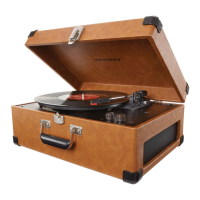
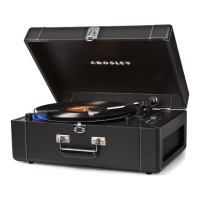
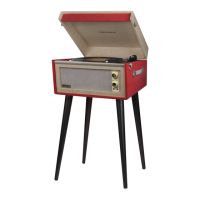
The Crosley CR6249U Keepsake USB Turntable is a versatile audio device designed for playing vinyl records and converting them into digital formats. This instruction manual provides comprehensive details on its setup, operation, and maintenance, ensuring a seamless user experience.
The primary function of the CR6249U is to play vinyl records at multiple speeds (33 1/3, 45, and 78 RPM), allowing users to enjoy their classic record collections. It features a built-in speaker system, enabling standalone playback without the need for external audio equipment. Additionally, the turntable is equipped with a USB output, which allows users to connect it to a computer and record their vinyl records into digital file formats such as MP3. This feature is particularly useful for archiving vinyl collections or creating portable digital versions of favorite albums. The device also includes an Aux In Jack, providing the capability to connect external audio devices like smartphones or MP3 players, and play their music through the turntable's speakers. For connecting to a stereo system or powered speakers, RCA Jacks are provided, outputting analog line-level signals. A headphone jack is also included for private listening.
The turntable is designed for ease of use, starting with its essential setup. Users need to place the unit on a flat, stable surface, remove the tie-wrap holding the tonearm, and rotate the Turntable Suspension Screw clockwise to allow the turntable to float on its shock absorbers. The AC adaptor is then connected to the Power Jack.
For playing records, the On/Off-Volume Knob is rotated to power on the unit. The Speed Switch allows selection of the appropriate playback speed (33 1/3, 45, or 78 RPM) for the record. A 45 RPM Adapter is included for records requiring it. Before playback, the stylus protector must be removed from the stylus assembly, and the tonearm Hold Down Clip released. The Tonearm Lever is used to lift and lower the tonearm gently onto the record. The tonearm features an automatic return function, moving back to its rest once a record finishes playing.
The USB recording feature is a significant advantage. By connecting the turntable to a computer via the supplied USB cable and using a recording program (such as Audacity, a free software recommended in the manual), users can convert their vinyl tracks into digital files. The manual advises setting the recording source/input to "Microphone USB audio codec" and recommends a 2-channel, 16-bit, 48000Hz (DVD Quality) setting for optimal results. It also emphasizes connecting directly to a computer's USB jack rather than a USB hub for a successful connection.
For external audio playback, the Aux In Jack allows connection of devices like smartphones. When an auxiliary cable is plugged in, the turntable function is automatically overridden, and music from the connected device plays through the turntable's speakers. Unplugging the auxiliary cable restores the turntable function.
The RCA Jacks provide flexibility for connecting to external stereo systems or active/powered speakers. The Red plug connects to the Right channel, and the White plug to the Left channel. It's important to note that these jacks are not designed for direct connection to passive/unpowered speakers, as this would result in very low volume.
Proper maintenance is crucial for extending the life of the turntable and ensuring optimal performance.
The manual includes a troubleshooting section to address common issues:
Crosley also offers a range of cleaning accessories, which can be found on their website, www.crosleyradio.com, for further maintenance needs.


 To Next Page
 General