3. Technical data
Energy efficiency class (EU 1060/2010)
Energy efficiency class (EU 2019/2016)
12 V (DC), 24 V (DC), 230 V (AC) via mains adapter
Mains adapter power supply
100 – 240 V~ 50/60 Hz (1.2 - 0.5 A)
+10 – + 43 °C (SN/N/ST/T)
Cool box protection class
III (safety extra-low voltage)
Degree of protection / protection class of mains adapter
Length of the DC (12 / 24 V) connection cable
Length of the AC (230 V) connection cable
4. Scope of delivery
Included in the product scope of supply are:
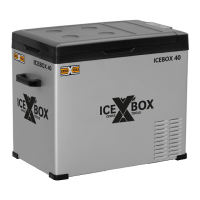
A compressor cooler, with 12 & 24 volt connection cable, mains adapter for 230 V~ connection, storage basket
and operating instructions.
If possible, retain the packaging until your guarantee has expired. Dispose of packing materials in an environmen-
tally friendly manner.
5. Commissioning
Before using the device for the first time, it must be placed upright on a horizontal surface for at least 6
hours. Always place the cooling unit on the floor. If the cooling unit is operated in any other orientation,
the unit may be damaged. It is possible to operate the device at an angle of max. 30° for short periods
of time. If the device has fallen over or been stored on its side, it must also be placed upright for at
least 6 hours before it is put into operation.
5.1 Connecting the compressor cooler
12 V / 24 volts (DC) ➤ Plug the DC connection cable into the DC socket and connect it to a DC receptacle.
230 volt (AC) ➤ Plug the supplied power supply unit into a 230 V~ socket and connect it to the cooler.
5.2 Operating settings
Switching on/off
• Connect the cooler to the desired power supply.
• Press the ON/OFF button to start the device.
• Press the ON/OFF button again to switch the device off.
Setting the target temperature
• Press the + (for warmer) or - (for colder) button to set the target temperature to your preference. The de-
vice adopts the last displayed value as the target temperature.
Changing the operating mode (Eco mode & Max mode)
• ECO mode (energy saving mode) / MAX mode (fast cooling mode)


 To Next Page
 Loading...