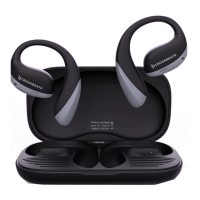
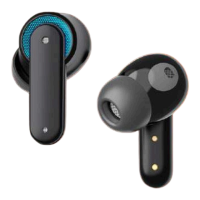
This document is the user manual for the Crossbeats ROAR headphones, providing an overview of the device, its controls, and basic usage instructions.
Function Description:
The Crossbeats ROAR are wireless headphones designed for audio playback and communication. They feature active noise cancellation (ANC) for an immersive listening experience and include a built-in microphone for calls and voice assistant interaction. The headphones are equipped with physical buttons for controlling various functions, including power, volume, track navigation, call management, and ANC mode.
Important Technical Specifications:
- Charging Port: Type-C
- Charging Time: Less than 60 minutes for a full charge.
- Connectivity: Bluetooth for wireless pairing.
Usage Features:
Overview of Controls:
The headphones feature several buttons on the side:
- Volume + (Next): Increases volume and skips to the next track.
- Power button: Controls power on/off, play/pause, call management, voice assistant, and device reset.
- Volume - (Previous): Decreases volume and goes to the previous track.
- Audio line: (Presumably a 3.5mm audio jack for wired connection, though not explicitly stated as such, it's a common feature for "audio line" ports on headphones).
- Charging port: Type-C port for charging the headphones.
- ANC button: Toggles Active Noise Cancellation mode.
Power On/Off:
- Power On: Press and hold the 'Power button' for 2 seconds. The blue LED indicator will be On for 2 seconds.
- Power Off: Press and hold the 'Power button' for 5 seconds. The red LED indicator will blink 3 times.
Charging:
- Connect the provided Type-C cable to the charging port on the headphones and a power source.
- A full charge takes less than 60 minutes.
- Charging Indicator: The red LED light stays On during charging.
- Battery Full Indicator: The blue LED light stays On once the battery is full.
LED Indicator on Case (Headphones):
- Power On: Blue light On for 2 seconds.
- Power Off: Red light blinks 3 times.
- Low Power: Red light blinks every 5 seconds.
- Charging: Red light stays On.
- Battery Full: Blue light stays On.
First Time Pairing:
- Press and hold the 'Power button' to turn on the headphones.
- On your phone, go to Bluetooth settings and search for 'CB-Roar' in the available devices list.
- Click on 'CB-Roar' to pair the headphones with your phone.
Reset:
- To reset the headphones, press the 'Power button' 5 times.
Detailed Controls:
- Power On: Press and hold "Power button" for 2 seconds.
- Power Off: Press and hold "Power button" for 5 seconds.
- Play/Pause: Single press on the Power button.
- Previous Track: Press and hold the "-" button for 2 seconds.
- Next Track: Press and hold the "+" button for 2 seconds.
- Volume +: Single press on the "+" button.
- Volume -: Single press on the "-" button.
- Voice Assistant: Press the Power button 3 times.
- Answer a call: Press the Power button once.
- End a call: Press the Power button once.
- Reject a call: Press & hold the Power button for 2 seconds.
- Hang up a call: Single press on the Power button.
- Call back recent number: Press the Power button twice.
- Reset: Press the Power button 5 times.
- ENC/ANC/Transparency mode: Toggle switch up/down (referring to the ANC button, likely).
Maintenance Features:
- The manual does not explicitly detail maintenance features beyond charging instructions. However, proper care of electronic devices generally includes keeping them clean, avoiding extreme temperatures, and using only the provided or recommended charging accessories.
For support, users can contact Crossbeats via:
- WhatsApp: +91 80500 56565
- Phone: +91 80500 56565
- Email: support@crossbeats.com

 Need help?
 General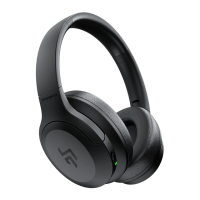

 To Next Page