
 Need help?
Do you have a question about the Crosscall PTT CASE and is the answer not in the manual?
Use the provided Allen key to remove the screws from each side of the case.
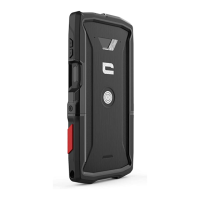
Place the phone into the two half-shells, ensuring correct orientation (red button bottom right).
Replace screws, tightening them until resistance is met, avoiding overtightening.
Ensure case is undamaged, mobile is held securely, and buttons align correctly before fixing.
Product stability not guaranteed under abnormal conditions; avoid fire and extreme environments.
Avoid impacts, dust, moisture, harsh cleaners; keep away from children and pets.
Dispose of packaging according to local rules and recycle waste properly.
 General
| Brand | Crosscall |
|---|---|
| Model | PTT CASE |
| Category | Telephone Accessories |
| Language | English |

 To Next Page