EasyManua.ls Logo

CROSSTEX Accutron Digital Ultra - User Manual

CROSSTEX Accutron Digital Ultra
28 pages
Print Icon
To Next Page IconTo Next Page
Loading...
1
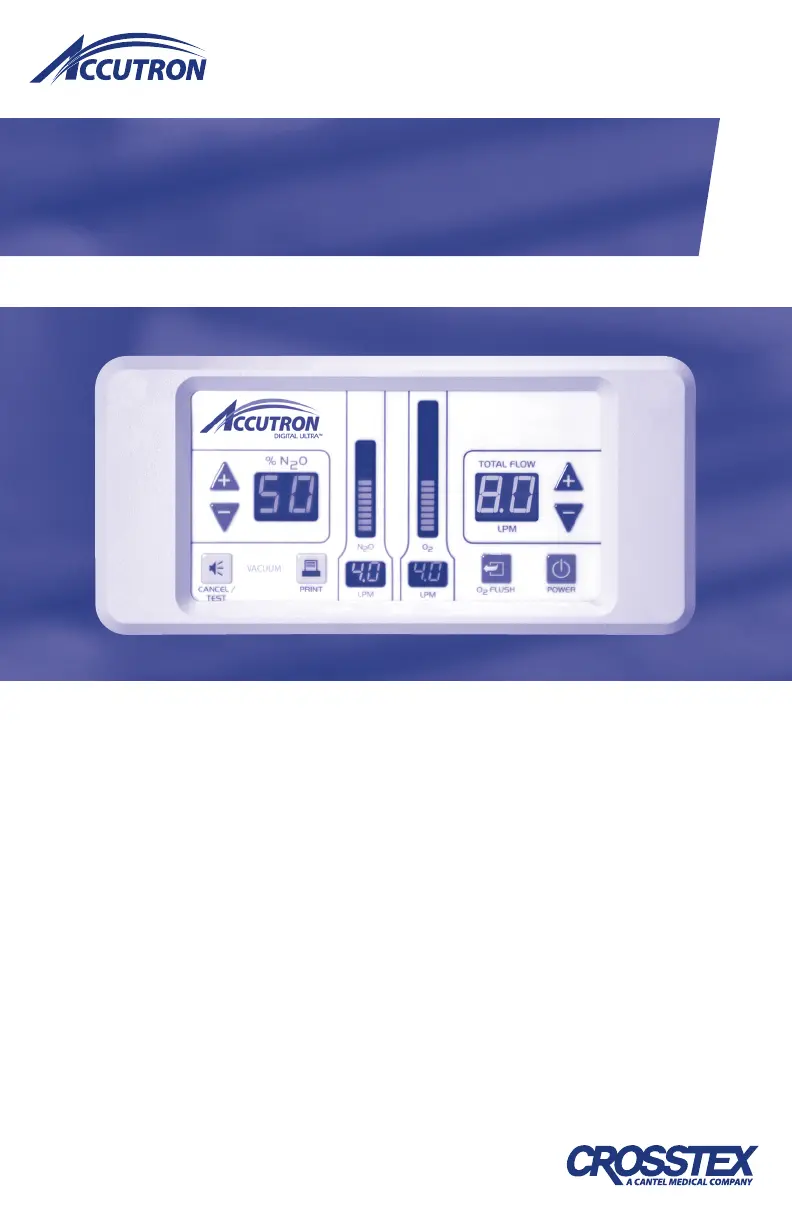
Digital Ultra
Flowmeter
User Manual
Nitrous Oxide/Oxygen Sedation
• Flushmount
• Flexmount
• Digital Newport™ Flowmeter System
Nitrous Oxide/Oxygen Sedation

Questions and Answers

  • L
    Linda SmallAug 17, 2025
    What to do if the display is off on my CROSSTEX Measuring Instruments?
    • J
      Joseph AcostaAug 18, 2025
      If the display is off, there could be several reasons: 1. The power cord may be loose. Ensure it is firmly connected. 2. There may be no power to the wall outlet. Check the circuit breaker or call an electrician. 3. The fuse may be blown. Replace the fuse in the holder under the AC socket.
  • J
    james99Aug 20, 2025
    Why is the remote control not operating on my CROSSTEX Accutron Digital Ultra Measuring Instruments?
    • L
      Linda SmithAug 20, 2025
      If the remote control isn't working, it could be due to: 1. A loose connection to the unit. Check the remote plug connection on the back. 2. A defective remote. If the problem persists, contact Crosstex Customer Service. 3. An internal problem. If the problem persists, contact Crosstex Customer Service.
  • H
    Harold BoydAug 22, 2025
    What to do if the automatic vacuum port (Accu-Vac™ Electronic Vacuum Controller) doesn’t work on my CROSSTEX Accutron Digital Ultra Measuring Instruments?
    • M
      Michaela HawkinsAug 23, 2025
      If the automatic vacuum port isn't working, check the following: 1. Ensure the plug connection in the back is secure. 2. Verify the output of the vacuum outlet is 12 +/- 3 V DC, as it might be a defective valve or an internal problem. 3. Confirm that the system vacuum is greater than 8 in Hg, as insufficient vacuum can cause this issue. If the problem persists, contact Crosstex Customer Service.
  • C
    Christopher MaddenAug 26, 2025
    What to do if my CROSSTEX Measuring Instruments unit freezes and won’t respond?
    • L
      Lauren RaymondAug 26, 2025
      If the unit freezes, doesn’t respond, or the gas won’t shut off, it may be due to a processor problem. Try unplugging the power cord and then plugging it back in to reboot the system.
  • T
    Thomas McintoshAug 27, 2025
    What to do if I get a Nitrous & Oxygen Failure alarm on my CROSSTEX Accutron Digital Ultra?
    • E
      Ebony AyalaAug 28, 2025
      If you receive a Nitrous & Oxygen Failure alarm, it could be due to obstructed flow to the patient. Remove any kinks or obstructions from the mixed gas line to the patient.
  • S
    Sandra LambertAug 30, 2025
    Why is there an Oxygen Failure alarm on my CROSSTEX Measuring Instruments?
    • M
      Mrs. Ann JimenezAug 30, 2025
      An Oxygen Failure alarm could indicate low O pressure. Verify the O input to the flowmeter and ensure the valves are open.
  • T
    Timothy Armstrong PhDSep 1, 2025
    Why is there a Nitrous Failure alarm on my CROSSTEX Accutron Digital Ultra?
    • R
      Robert McclureSep 1, 2025
      A Nitrous Failure alarm suggests low N O pressure. Verify the pressure in the N O 2 cylinder and ensure the valves are open.
  • K
    Katherine HunterSep 4, 2025
    What to do if the front panel buttons are not operating on my CROSSTEX Accutron Digital Ultra?
    • M
      morriscalebSep 4, 2025
      If the front panel buttons aren't working, it could be due to a defective panel or an internal problem. Contact Crosstex Customer Service for assistance.
  • J
    Julia OwensSep 6, 2025
    What to do if displays don’t work on CROSSTEX Accutron Digital Ultra Measuring Instruments?
    • S
      Sarah KennedySep 6, 2025
      If the displays don't work, it could be due to a broken display or circuit board. Contact Crosstex Customer Service for support.
  • T
    Teresa GentrySep 9, 2025
    What to do if the flush does not have enough oxygen flow in my CROSSTEX Measuring Instruments?
    • S
      Stephanie MendozaSep 9, 2025
      If the flush does not have enough oxygen flow, it may be due to a clogged filter or a damaged O solenoid. Contact Crosstex Customer Service.

Summary

Indications for Use and Safety Precautions

Contraindications

Lists conditions and situations where nitrous oxide/oxygen inhalation is not recommended.

Warnings

Provides critical safety information and precautions for operating the device.

Cautions and Compliance

Safety and Repair Precautions

Warns against unauthorized repairs and emphasizes routine safety feature checks.

EMC Requirements

Details EMC requirements and safe operating distances from RF devices.

Equipment Recycling

Instructions for proper disposal of old electrical and electronic equipment.

I. Technical Specifications

Physical and Electrical Specifications

Outlines physical dimensions, weight, and electrical requirements of the device.

Gas Supply and Delivery

Details gas input specifications, fittings, and delivery flow rates.

Environmental and Accessories

Covers operating conditions, transportation, and available accessories.

II. Control and Display Features

Front Control Panel Overview

Describes the layout and functions of the main control and display panel.

Remote Control Functions

Explains the features and operation of the optional remote control.

III. Flowmeter Models

Flushmount Model Details

Details the two-piece design, installation, and outlet options for the Flushmount model.

Flexmount Model Overview

Describes the Flexmount model and its various mounting options.

Digital Newport Flowmeter System Introduction

Introduces the Digital Newport system, its components, and basic setup.

Digital Newport Gas Management

Details procedures for managing gas supply and changing cylinders for the Newport system.

Digital Newport Component Locations

Identifies the locations of control and main modules for the Newport system.

IV. Safety Features

Fail Safe and Alarms

Explains safety systems like O2 Fail Safe, N2O supply warnings, and alarms.

Gas Safety and Connections

Covers emergency air, check valves, resuscitator connections, and gas-specific fittings.

V. General Instructions

Warranty and Gas Connection

Provides information on product warranty activation and proper gas supply connection.

Power and Auxiliary Connections

Details power connection requirements and auxiliary ports for remote control and printers.

VI. Directions for Use

General Operating Instructions

Outlines fundamental steps and precautions for operating the flowmeter.

Operation and Functions

Describes the basic operation, additional functions like print/mute, and setting flow/date.

Setting Flow and Date;Time

Provides steps for adjusting flow increments and setting the device's date and time.

Application Specifications

Details intended use, medical indications, and patient population for nitrous oxide.

Operating Principle and Use Errors

Explains how the flowmeter works and lists common potential use errors.

VII. Periodic Equipment Checks

Essential Equipment Tests

Details critical tests like display, cleaning, and oxygen flush valve checks.

Safety Feature Tests

Describes monthly checks for outspout, override air valve, and oxygen failsafe.

Factory Checks and Maintenance

Covers factory recommended checks, routine maintenance, and disinfection procedures.

VIII. Troubleshooting Guide

Troubleshooting Common Issues

Addresses common problems like display errors, alarms, and control malfunctions with remedies.

IX. Warranty

Warranty Terms and Coverage

Details the 2-year limited warranty, terms, conditions, and exclusions.

Warranty and Returns Policy

Outlines the policy for warranty resolution and merchandise returns.

Assistance and Ownership Info

Provides contact information for assistance and fields for ownership details.

CROSSTEX Accutron Digital Ultra Specifications

General IconGeneral
BrandCROSSTEX
ModelAccutron Digital Ultra
CategoryMeasuring Instruments
LanguageEnglish