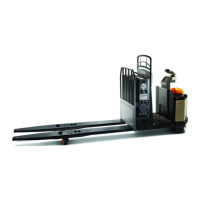
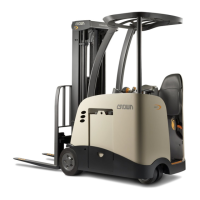
Need help?
Do you have a question about the Crown 4500 Series and is the answer not in the manual?
It is a legal requirement to be trained and certified to operate this truck.
Federal law requires training; operating without it risks injury or death.
Fasten seat belt snugly and keep it fastened. Stay with the truck during overturning.
Keep body parts inside operator area, stay away from docks, and control speed.
Be alert to surroundings to avoid being pinned or crushed by objects.
Prevent tipovers by fastening seat belt, gripping wheel, and bracing feet.
Keep hands/feet away from moving parts, never stand on forks, and secure truck before leaving.
Use page headings and truck illustrations to find topics quickly.
Read special blocks marked 'Know the Hazards' for safety information.
Pictures and text help understand safe and productive truck use.
Description of sit-down rider trucks for lifting and stacking loads.
Instructions on sitting, seat belt, seat/wheel adjustment, and looking ahead.
Capacity is the load that can be lifted to a given height at a given load center.
Load center is distance from fork face to the center of an evenly distributed load.
Truck could tip if load is shifted. Ensure load is evenly distributed and centered.
The plate on the overhead guard contains serial number, capacity, type, and weight.
Capacity may be reduced by lift height or increased load center.
Turn key clockwise to TEST/ON, counterclockwise to OFF. Always turn off when leaving.
Place direction control in neutral and step on service brake pedal before travel.
Pull battery connector to disconnect battery and cut power. Use for shutdown.
Pull lever towards you for one action, push away for opposite. Speed increases with distance.
Green bars show charge. Yellow light indicates need for charging or replacement.
Displays operational data, event codes, and instructions.
Red light for battery retainer issue, yellow for operator correctable or service events.
Step on the brake pedal to apply brakes. Harder press means harder braking.
Applied automatically when truck stops. Release by stepping on service brake pedal.
Test brakes at start of shift. Report if stopping distance is too long.
Use direction control lever and accelerator. Move control away for forks first travel.
Select opposite direction of travel to slow down. Use accelerator for control.
Press steering wheel center to sound horn for warnings at crosswalks or intersections.
Inspect battery, cables, wheels, forks, chains, load backrest, and seat belt.
Test hydraulics, steering, speed, and braking in an uncongested area.
Ensure readiness by being trained, understanding hazards, and wearing proper clothing.
Inspect truck before use. Report any issues. Test brakes and plugging.
Adjust seat, fasten belt, keep body inside, look where you're going, and slow down.
Yield to pedestrians, avoid pinning, watch for swing, no passengers.
Stay with truck during tipover, stay from docks, check bridgeplates, secure loads.
Stop truck, lower forks, turn off power. Avoid parking on inclines.
Turn truck OFF, disconnect battery. Use correct size/weight battery. Avoid metal contact.
Batteries produce explosive gas and contain corrosive acid. Follow safety precautions.
Ensure retainer is in place. Use correct battery size/weight for stability.


 To Next Page
 General