26
English
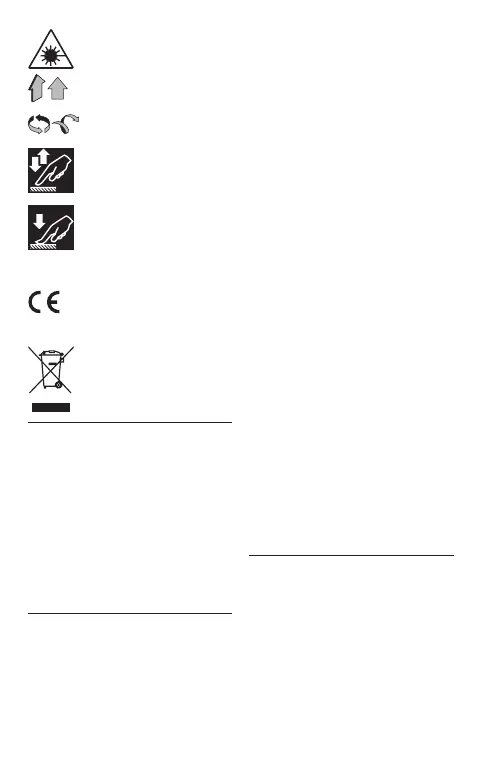
Caution! Laser radiation�
Movement direction�
Rotation direction�
Short pressing�
Long pressing�
A sign certifying that the
product complies with es-
sential requirements of the
EU directives and harmo-
nized EU standards�
Do not dispose of the appli-
ance in a domestic waste
container�
Intended use
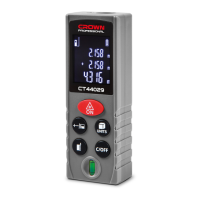
The appliance is designed to measure
distances using a laser beam� It can
be used to measure linear dimen-
sions, calculate the area and volume,
and also perform indirect measure-
ments�
[CT44032, CT44033, CT44034,
CT44035]
These models have a built-in tilt sen-
sor to measure angles�
Components
1 LCD display
2 Laser beam output hole
3 Receiving lens
4 Housing
5 Button "On / Measure start"
6 Button "Measurement mode
selection"
7 Button "Plus"
8 Button "Reference point selection"
9 Button "Off / Results reset"
10 Button "Minus"
11 Button "Measurement units /
Memory"
12 Button "Laser beam on"
13 Sign "Continuous measure-
ment"
14 Sign "Area / Volume measure-
ment"
15 Sign "Indirect measurements"
16 Sign "Battery charge"
17 Button "Measurement unit"
18 Sign "Selected reference point"
19 Sign "Maximum value"
20 Sign "Minimum value"
21 Sign "Appliance tilt angle"
22 Sign "Memory"
23 Sign "Measurement values addi-
tion / Subtraction"
24 Sign "Measurement value"
25 Button "Plus / Minus / Memory"
26 Bubble level
27 Button "Measurement units /
Measurement mode"
28 Battery case cover
29 Battery (1�5 V, AAA type) *
* Optional extra
Not all of the accessories illustrated
or described are included as stand-
ard delivery.
Installation / regulation
Installing batteries (see g. 1-2)
• Remove cover 28 (see g. 1-2).
• Install batteries 29, observing the
polarity�
• Replace cover 28�
• The need to replace batteries 29
is indicated by sign 16, and display 1
shows the "Err10" error code�


 To Next Page
 Loading...