URC-601 User Manual/Εγχειρίδιο Χρήσης
9
2.3 Programming other devices
To program other devices such as DVD, STB, SAT, AUX (CD, HIFI) follow the
methods of programming described in Chapter 2.1
Note: The complete list of all devices codes is available at our website
www.cryptoelectronics.gr
.
3. LEARN FUNCTION OPERATION GUIDE
The learn function on the URC-601 remote control allows to program the keys one by
one to learn to behave like the original remote control of your device.
As an example, below is a method of programming a DVB-T using the learn function.
Just follow the steps:
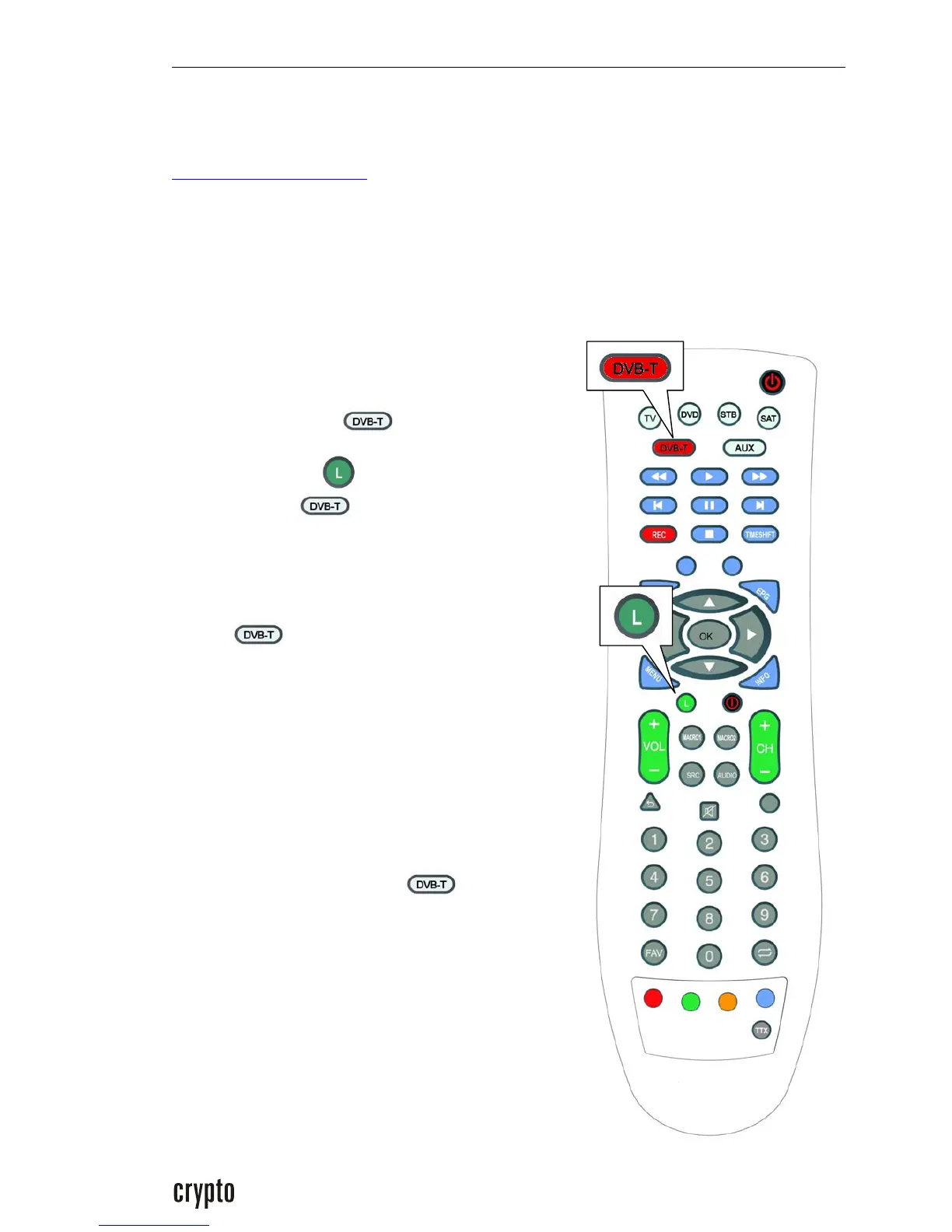
1. Turn on your DVB-T you want to program to
work with the Crypto URC-601 remote control.
2.Press DVB-T button once
3. Press the learn button for about 3 seconds
until the DVB-T button blink continuously in
red color.
4. Press on the URC-601 the key that you want to
program and learn. The red indication light of the
DVB-T will light red constantly and stop
blinking.
5. Bring the original remote opposite to the URC-
601 and at a distance of 3 to 5 cm in such way so
that the infrared windows are facing one another.
6. To continue press on the original remote that
you have for the DVB-T the key that you want the
URC-601 to learn. Keep it pressed until the red
indication light on the DVB-T starts blinking
again. Then you can release the button and its
function will already be learned to the URC-601.
Follow steps 4 το 6 again and again for each
button you wish to learn on the remote


 To Next Page