
 Need help?
Do you have a question about the CryptoDATA Tech IMPULSE K1 and is the answer not in the manual?
Core value emphasizing complete protection of user information via Private Key.
All communication is fully encrypted and relies on peer-to-peer links.
Explains the fragmented data storage for enhanced user privacy.
Details the use of Blockchain technology for user safety.
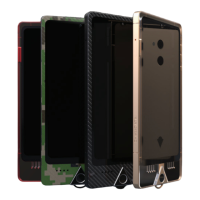
The IMPULSE smartphone utilizes a physical key for unique digital identity and blockchain access.
Identifies components on the front of the IMPULSE smartphone.
Identifies components on the back of the IMPULSE smartphone.
Step 1: Powering on the device and beginning the setup process.
Step 2: Setting up language, date, and time preferences.
Step 3: Connecting to Wi-Fi for internet access.
Step 4: Instructions for inserting the SIM card.
Step 5: Enabling mobile data for internet connectivity.
Step 6: Navigating to settings to prepare for software updates.
Step 7: Downloading and installing the latest system version.
Step 8: Updating secured applications from the store.
Step 9: Connecting the device to the blockchain network.
Step 10: Reviewing and agreeing to the terms and conditions.
Step 12 & 13: Accessing the Vault and inserting the RED private key.
Step 14: Initiating the private key configuration process.
Step 15: Memorizing and securely writing down 24 backup words.
Step 16: Creating a strong password for backup security.
Step 17 & 18: Swapping private keys and authenticating the device.
Step 19: Creating a unique Matrix ID for the device.
Step 21: Configuring the Wisp application for secure messaging.
Step 22: Logging into the Wisp network using Matrix ID and password.
Describes wireless and wired charging options for the smartphone.
Provides steps for restarting and shutting down the device.
Lists the technical specifications of the IMPULSE smartphone.
Covers earbud volume, battery handling, and device disposal.
 General
| Brand | CryptoDATA Tech |
|---|---|
| Model | IMPULSE K1 |
| Category | Cell Phone |
| Language | English |

 To Next Page