
 Need help?
Do you have a question about the Crystal Vision CVT9604E-3010W and is the answer not in the manual?
Detailed safety measures for operating electrical equipment, preventing electric shock, and personal protection.
Identifies and describes the front panel components of the NVR, including screen and ports.
Identifies and describes the rear panel components of the NVR, including antennas and ports.
Identifies and labels the components of the wireless camera, such as antennas and LEDs.
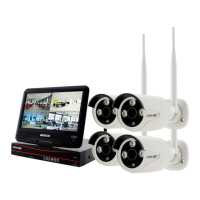
Illustrates the overall system setup, showing connections between cameras, NVR, monitor, and internet.
Instructions for powering the NVR, connecting a mouse, and establishing internet connectivity.
Guides through the NVR setup wizard, including application download, internet connection, and HDD setup.
Steps to power up and connect cameras to the NVR, and how to install them in desired locations.
Instructions for downloading the "IP PRO" app, registering a new account, and logging in.
Steps to add the NVR to the app by using the device ID or scanning a QR code.
How to access live view, change video quality, take snapshots, and view recorded video remotely.
Instructions for accessing the NVR system through a web browser by visiting the designated website.
Steps to add the NVR to the web viewer and start the live remote view of cameras.
Explains the main menu bar options available through right-click, including system setup, playback, and backup.
Detailed steps for searching recorded video by date, time, and channel, and playing it back.
Instructions for selecting recorded video files and backing them up to a USB flash drive.
Guides on setting recording schedules (Time, Motion, Sensor) and configuring motion detection sensitivity.
Steps to configure network settings, enable DHCP, and display the Esee ID for remote access.
Instructions for adding new users, editing existing user permissions, and setting passwords.
Steps to set the system's time zone, date format, and synchronize time automatically or manually.
Guidance on setting the screen resolution for the built-in monitor or external displays.
Detailed steps for connecting cameras via LAN and then pairing them wirelessly using the "Match Code" feature.
Comprehensive technical details of the NVR, including operation system, channels, video output, and interfaces.
Detailed technical specifications for the wireless HD camera, covering megapixels, resolution, and interfaces.
Details the 1-year manufacturer warranty and conditions under which it will be voided.
Provides references for more detailed information and contact methods for support.
 General
| Category | Security System |
|---|---|
| Model | CVT9604E-3010W |
| Type | DVR |
| Channels | 4 |
| Power Supply | DC12V/2A |
| Video Input | BNC |
| HDD Capacity | 1TB |
| Video Output | HDMI, VGA |
| Network | RJ45 10M/100M |
| Operating Temperature | -10°C to +55°C |
| Operating Humidity | 10% to 90% |

 To Next Page