Page 9-C
6.6. Running a Sample Profile
6.6.1. Below are screenshots and explanations (in consecutive order) of the sample profile listed below.
Example:
1. Run a test that starts at 24°C.
2. Ramp to 85°C in 5°C/min.
3. Soak at 85°C for one hour.
4. Ramp from 85°C to -40°C in 5°C/min.
5. Soak at -40°C for one hour. Repeat cycle for a total of five cycles.
6. Ramp back to 24°C.
7. Soak at 24°C for thirty minutes
8. Enter the last step without turning on events to end the profile.
6.6.2. Profile Entry Screens
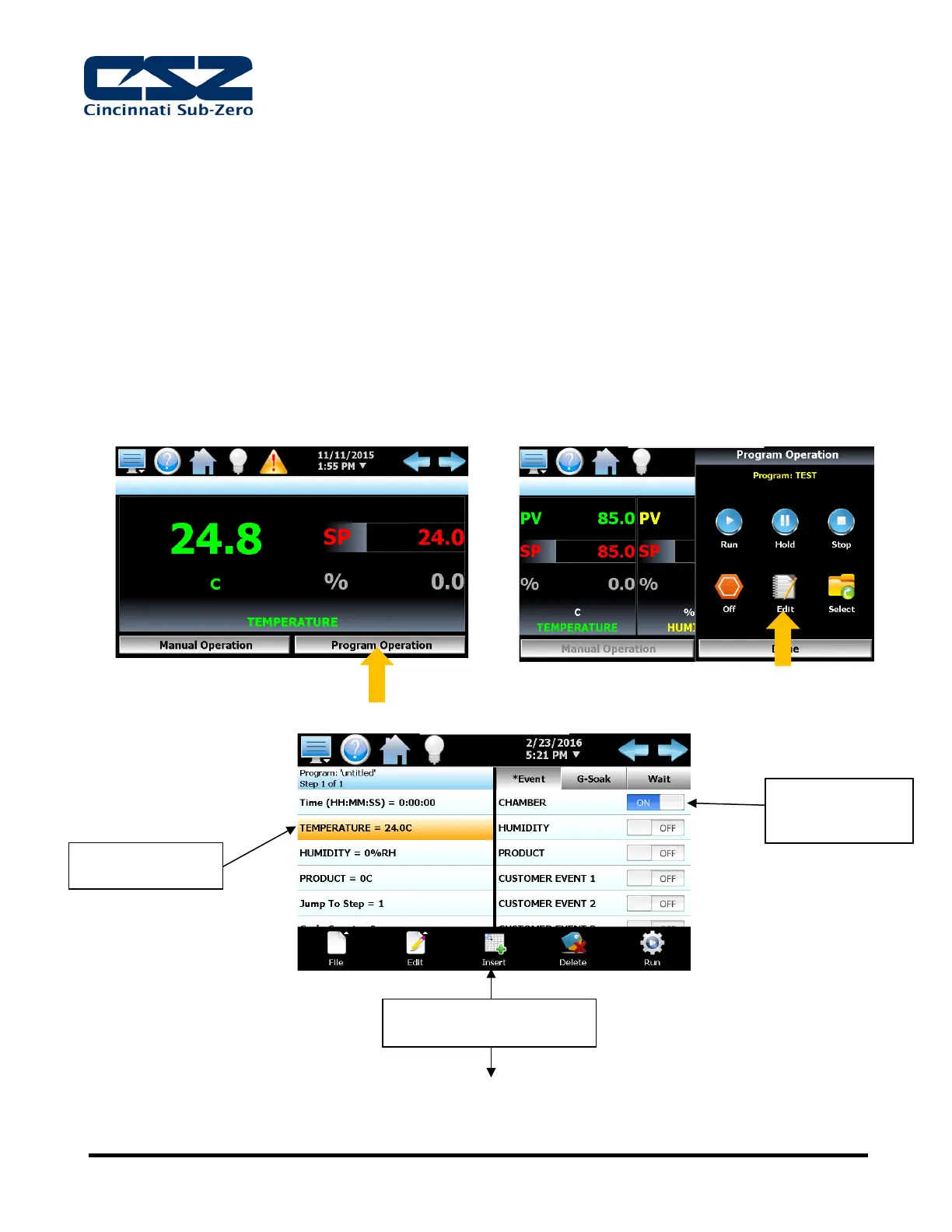
6.6.2.1. To enter a new profile, select the “Program Operation” button then select “Edit”.
6.6.2.2. Step 1 – Specify starting point
turned to ON
position
The “Insert” feature is used to
add the next step


 To Next Page
 Loading...