EasyManua.ls Logo

CT Systems Wavetek 2500 - Page 15

Default Icon
56 pages
Print Icon
To Next Page IconTo Next Page
To Previous Page IconTo Previous Page
Loading...
extmv
j"RFl
eX.ImV
~
eXIO,uV
eXI}JV
eX
.l,uV
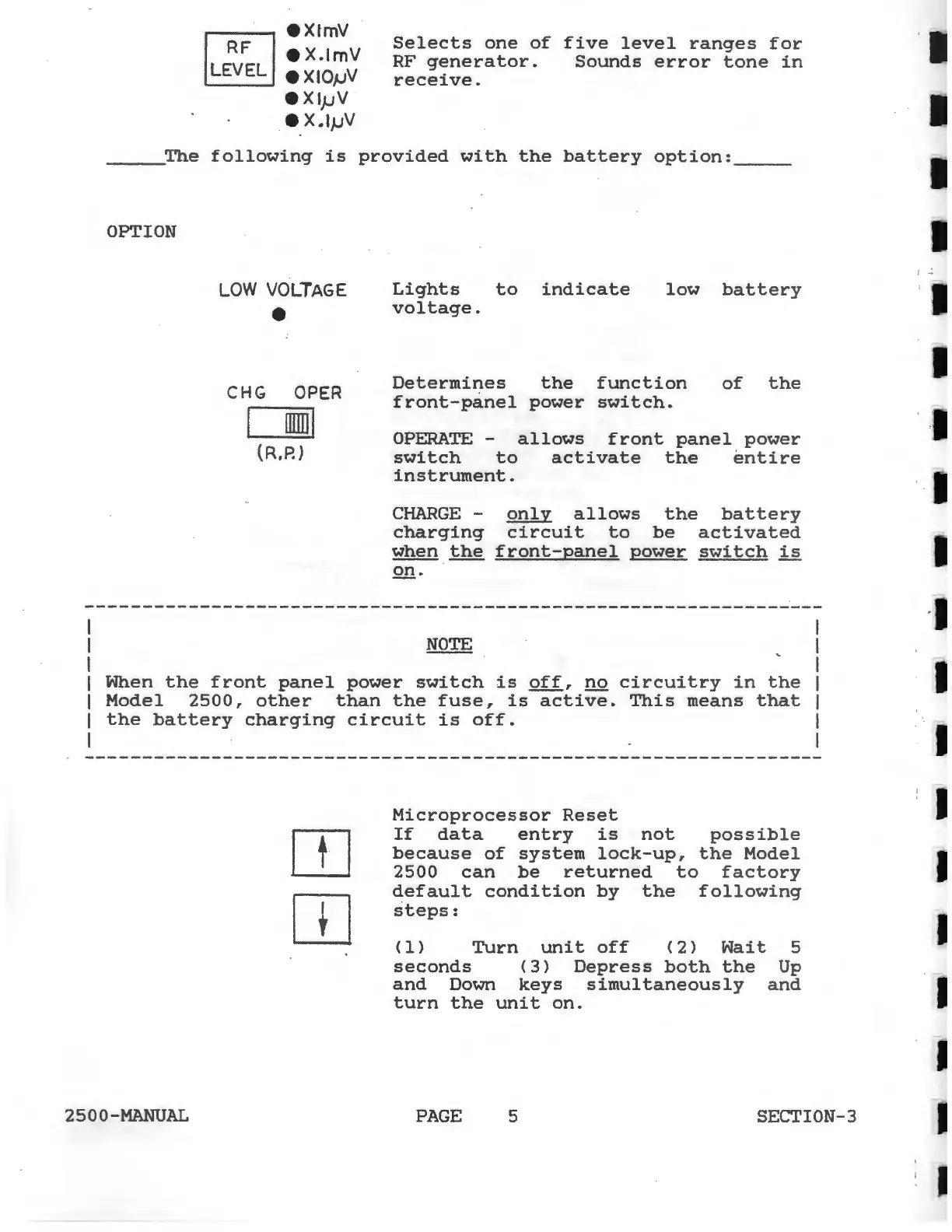
Selects
one
of
five
level
ranges
for
RF
generator.
Sounds
error
tone
in
receive.
_____
The
following
is
provided
with
the
battery
option:
____
_
OPTION
LOW
VOLTAGE
CHG
OPER
rnml
(R,P.)
Lights
to
indicate
voltage
.
low
battery
Determines
the
function
front-panel
power
switch.
of
the
OPERATE
-
allows
front
panel
power
switch
to
activate
the
entire
instrument.
CHARGE
-
only
allows
the
battery
charging
circuit
to
be
activated
when
the
front-panel
power
switch
is
Q!!.
When
the
front
panel
power
switch
is
off,
no
circuitry
in
the
Model
2500,
other
than
the
fuse,
is
active.
This
means
that
the
battery
charging
circuit
is
off.
2500-MANUAL
OJ
OJ
Microprocessor
Reset
If
data
entry
is
not
possible
because
of
system
lock-up,
the
Model
2500
can
be
returned
to
factory
default
condition
by
the
following
steps:
{1)
Turn
unit
off
<2>
Wait
5
seconds
{3)
Depress
both
the
Up
and
Down
keys
simultaneously
and
turn
the
unit
on.
PAGE
5 SECTION-3
j
..: