Need help?
Do you have a question about the CTS HES-3112-CL-DR SERIES and is the answer not in the manual?
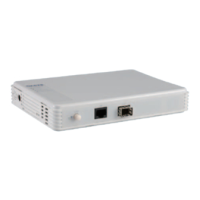
Details the physical ports and their functions on the converter.
Guides on connecting the converter and assigning IP addresses for management.
Explains the meaning of LED indicators and the function of physical buttons.
Steps to connect via Telnet, log in with default credentials, and set initial IP.
Explains User, Privileged, and Configuration modes, and general commands like help/exit.
Details command syntax, prompt symbols, and useful keyboard shortcuts for efficiency.
Covers login, user mode commands, enabling privileged mode, and entering configuration mode.
Commands for configuring interfaces, IP addresses, subnet masks, gateways, and DHCP.
Commands for MAC table, management interfaces, NTP, and security storm protection.
Configuring SNMP server communities, switch info, and user accounts.
Commands for VLAN configuration, viewing interface statistics, and SFP module info.
Commands for viewing logs, firmware status, and managing configurations.
Guide to accessing the web GUI and viewing system details.
Managing user accounts and configuring network IP settings through the web interface.
Setting up converter options, storm control, QoS, VLANs, and system services.
Monitoring port status, counters, SFP info, and performing system updates/resets.
Prerequisites and network topology for DHCP auto-provisioning.
Steps for installing and configuring the DHCP server and its options file.
Procedures for backing up, naming, and placing firmware/config files.
Explains the sequence of device discovery and firmware/configuration updates.
 General
| Brand | CTS |
|---|---|
| Model | HES-3112-CL-DR SERIES |
| Category | Media Converter |
| Language | English |

 To Next Page