8
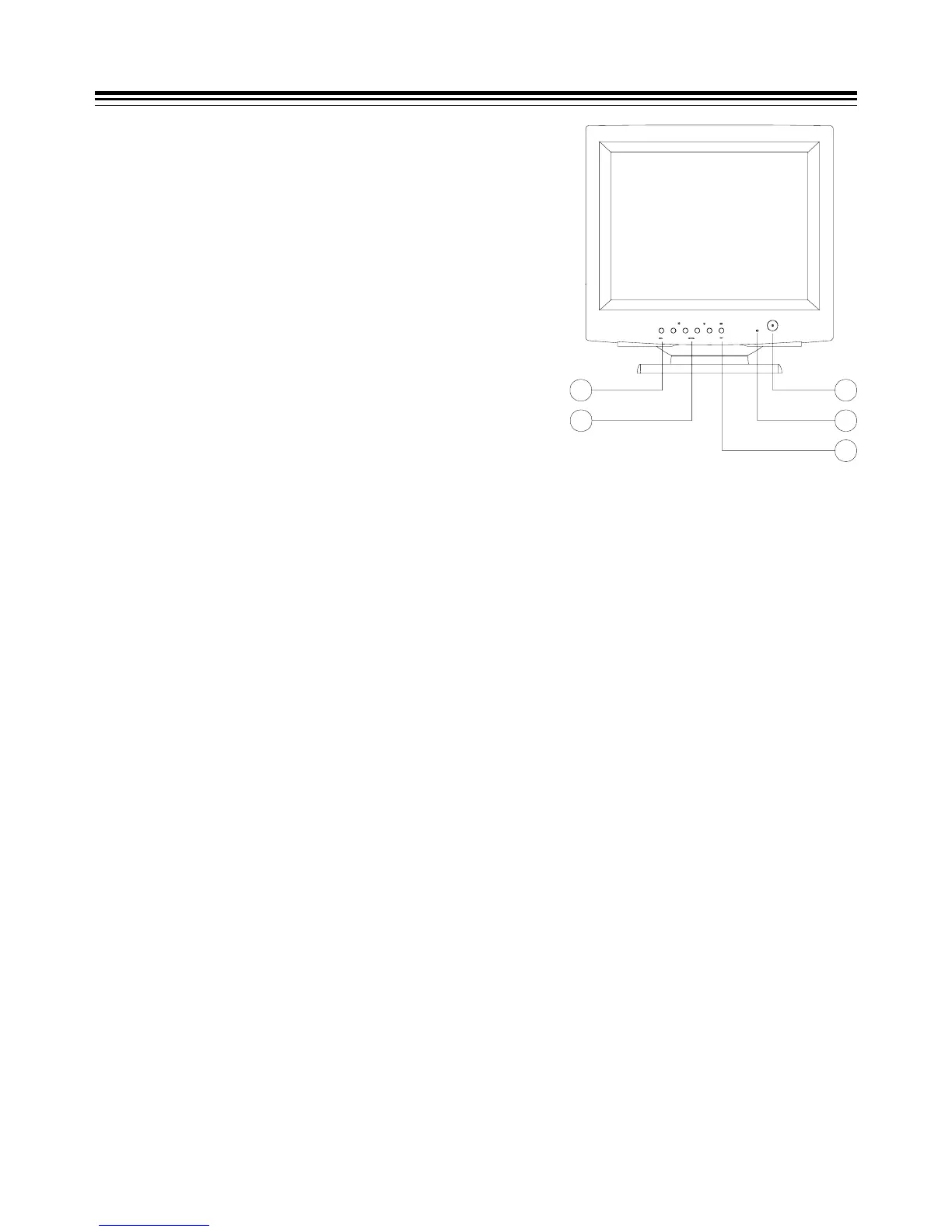
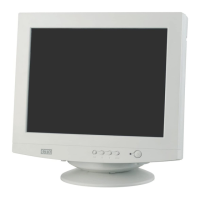
(1) Power Switch
(2) Power Indicator
As long as the monitor is powered, this indicator is
lit. In normal operation, it lights green. While in
power saving mode, the indicator will turn to amber.
(3) Exit/Degauss Switch
To exit OSD window or to manually degauss the
monitor.
(4) Control Keys
To adjust the parameter of a selected function.
(5) Menu Key
To display and select the 'Status', 'Position', 'Size',
'Geometry', 'Moire', 'Color' and 'Language'
functions.
POWER SAVE NOTE
This monitor is equipped with automatic power-saving circuitry design which will work with
any computer unit following the VESA DPMS detection format, and it meets ENERGY STAR
low
power state definition. When first power on and input signal into the monitor, the power save
function remains inactive, the function will then be triggered when the input signal is cut off by
the computer itself, or loss of signal input afterwards.
DURCH DEN BENUTZER EINSTELLBARE STEUERUNGEN
(1) Netzschalter
(2) Betriebsanzeige
Die Betriebsanzeige ist aktiv, wenn der Monitor eingeschaltet ist. Sie leuchtet grün, wenn
sich der Monitor im Normalbetrieb befindet. Ist ein Stromsparmodus aktiviert, leuchtet die
Betriebsanzeige orange.
(3) Entmagnetisierungstaste (Degauss)/Taste 'Exit'
Zum manuellen entmagnetisieren des Monitors oder zum Verlassen des OSD-Menüs.
(4) Einstelltasten
Zum Einstellen der Werte der ausgewählten Funktion des OSD-Menüs.
(5) Taste 'Menu'
Zur Anzeige und Auswahl der OSD-Menüfunktionen 'Status', 'Position', 'Size', 'Geometry',
'Moire', 'Color' und 'Language'.
USER’S CONTROLS
1
2
3
5
4



 To Next Page