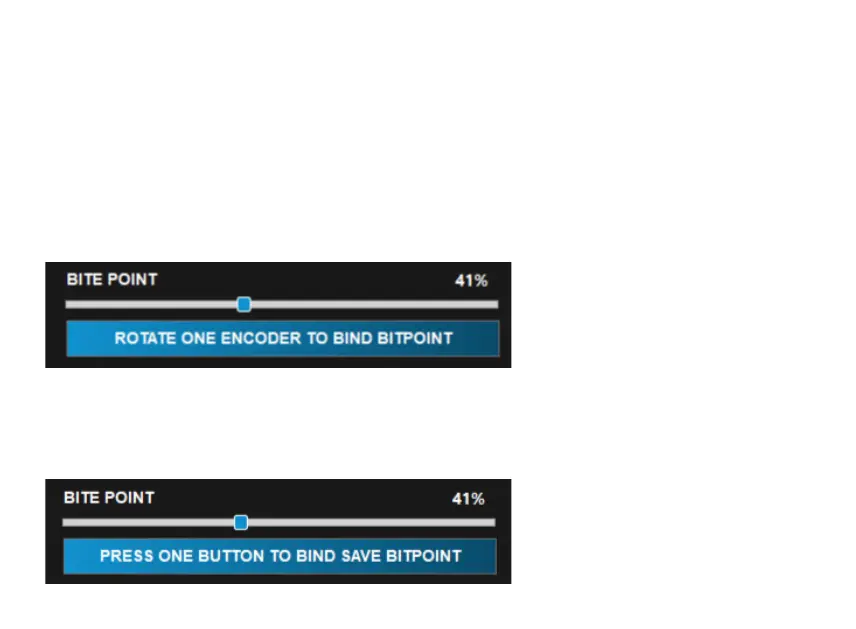
Setting the Bite Point on the fly
Now it is also possible to modify the Bite Point on the fly, without going back to the CubeSet
app in the middle of your driving session!
To do so, you will need to set an encoder of your steering wheel for this function. Nothing easier!
First of all click the button under the Bite Point slider, to start the process. Then you will be
prompted to rotate an encoder to bind the bitepoint.
Having done that, the message will change: now you will need to press a button to save the
bite point percentage you choose.
Simply put, you will need a button with which save every change you make with the encoder.


 To Next Page