On/Off
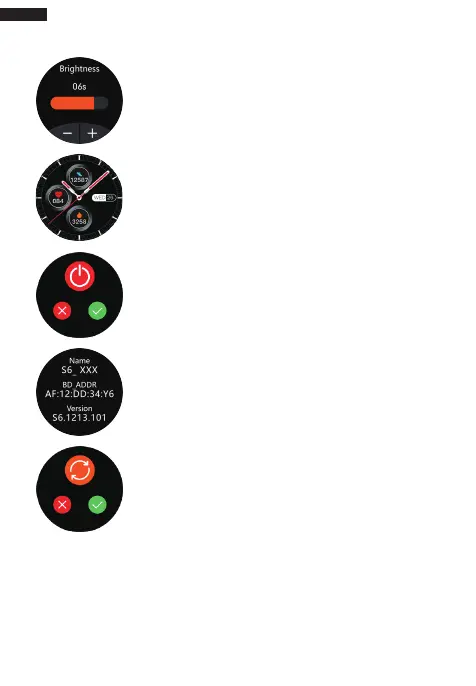
Long press “On/Off” key for 3s to power on. The
bracelet will automatically power on when it is
charging. Click the “Off” icon to power off;
System Information
Check the bracelet’s information such as Bluetooth
name, Mac address, firmware version and UI version;
Restore Factory Settings
All personal data will be removed if you confirm to
restore factory settings.
Adjust Brightness
Settings - Brightness - Adjust Brightness (“+” and “-”
can be used to control);
Dial Switch
Long press dial plates to switch (4 styles are available);
support to push dial plates;
English
05



 To Next Page