Need help?
Do you have a question about the Cuckoo NO.1 CUCKOO and is the answer not in the manual?
Essential safety rules to prevent accidents and injuries during appliance use.
Technical details and measurements of the rice cooker model.
Guidelines to prevent potential hazards, warnings, and prohibitions.
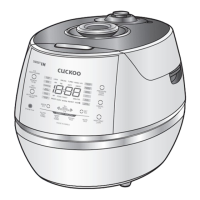
Identification of all external and internal components of the rice cooker.
Detailed instructions for cleaning the rice cooker, including detachable parts and the inner pot.
Overview of control panel functions and explanation of error messages.
Guides for setting the clock and managing voice guidance features.
Features for reducing voice volume at night and selecting voice language.
Essential steps to prepare the rice cooker and ingredients before cooking.
Tips for preparing rice and using the cooker to achieve the best flavor and texture.
Comprehensive guide to selecting menus and initiating the cooking process.
Explains the patented technology for customizing rice texture and taste.
Information and instructions for cooking germinated brown rice.
Step-by-step guide for operating the multi-cook function with timer settings.
Guides for using the ferment bread and bread baking functions.
Detailed instructions for setting cooking timers and reservations.
Guide to schedule reheating of cooked rice for a later meal.
Methods and tips for keeping rice warm and preserving its taste and texture.
Details on power-saving modes and the energy-saving eye function.
Manages display brightness, button lock, and cooking time display settings.
Guide for connecting the rice cooker to a smartphone via NFC technology.
Steps to troubleshoot common issues before contacting customer support.
Contact information and addresses for warranty service and support.
Lists included accessories such as scoops, measuring cups, and cleaning pins.
Specific cleaning instructions for the lid's detachable cover and pressure packing.
Steps for cleaning the pressure weight valve hole using the cleaning pin.
Instructions on how to use the cleaning pin and brush kit for effective cleaning.
Guide for safely detaching, cleaning, and reattaching the soft steam cap.
Instructions for removing and cleaning the dew dish and drain ditch cap.
Instructions for performing automatic steam cleaning of the rice cooker.
Allows setting a soaking time before cooking for grains.
Steps to access and set customized rice taste preferences.
Further details on using the MY MODE function with different settings.
Explains the visual indicators for MY MODE settings and options.
Details on customizing cooking temperature for different rice types.
Step-by-step guide for utilizing the customized cooking function.
Highlights the nutritional benefits and taste enhancements of germinated brown rice.
Instructions for soaking brown rice to promote germination before cooking.
Important considerations and tips for successful GABA rice cooking.
Instructions for setting a delayed start time for multi-cook dishes.
Steps for selecting the ferment bread menu and setting fermentation time.
Instructions for selecting the bread baking menu and setting baking time.
Steps to set the desired cooking time in advance.
Important considerations and warnings when using the preset cooking function.
Step-by-step instructions for setting up the preset reheating feature.
Important warnings and tips for using the preset reheating function.
Allows setting a soaking time before cooking for grains.
Instructions on how to adjust the warming temperature for optimal results.
Guide on using the My Mode function, possibly related to temperature control.
Explains how to set and release the sleeping mode for long-term warming.
Steps to manually start and end power-saving modes.
Explains the automatic activation of power-saving based on standby time.
Describes how the energy eye adjusts brightness to save power.
Adjusts the brightness of the display during various cooking modes.
Instructions for enabling and disabling the button lock feature.
Option to enable or disable the display of remaining cooking time.
Steps to download and install the CUCKOO smart rice cooker app.
Instructions for installing the CUCKOO app from the Google Play Store.
Specific steps for enabling NFC on a Galaxy S3 smartphone.
Proper method for touching the smartphone to the NFC mark on the cooker.
Steps to identify and select the correct rice cooker model in the app.
Enables cooking control through the smartphone app via NFC.
Methods for finding and selecting recipes through the app.
Guides on filtering recipes by categories like dish type or occasion.
Ways to search for recipes based on specific conditions or categories.
Steps to initiate cooking via the app after recipe selection and preparation.
Allows viewing recipes shared by other users or bloggers.
Options to configure settings like clock, language, and taste preferences via NFC.
Guides for self-diagnosis, pre-checking issues, and contacting repair centers.
Information on additional app features like timer and diet management.
Updates on new models and replacement parts for CUCKOO products.
Specifies the duration of labor and parts warranty coverage.
Provides contact information and addresses for service centers.
Information on how to get product support and find authorized service locations.
 General
| Keep Warm Function | Yes |
|---|---|
| Preset Timer | Yes |
| Coating | Non-stick |
| Display | Digital |
| Voice Guide | Yes |
| Product Type | Electric Rice Cooker |

 To Next Page