5
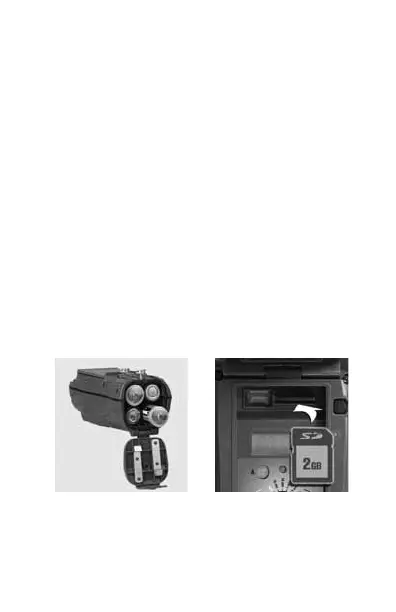
Step 2 – Installing Batteries and SD Card
1) TurntherotaryknobtotheOFF position.
2) Loosenthebatterythumbscrewandopenthe
battery compartment door. Install four brand new
alkaline D cell batteries. Make sure to observe
correct polarity. Close the door and tighten the
thumb screw completely.
3)
Aseriesofnumbersaredisplayed.TheseareAttack’s
hardware and software version numbers.
4) WaituntiltheLCDdisplaygoesblankandthe
greenandredLEDsareoff.
5) InstallyourSDcard.Besuretoobservethecorrect
polarity with clipped corner on the card to the right.
Bottom View
Battery Install SD Card Install



 To Next Page