Need help?
Do you have a question about the Cuisinart CSG-466 and is the answer not in the manual?
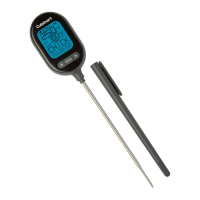
The Cuisinart Digital Folding Probe Thermometer, model CSG-466, is a versatile tool designed for accurate temperature measurement. It features a user-friendly interface with four main function buttons: ON/OFF, °F/°C, HOLD, and LIGHT, providing straightforward control over its operations.
The thermometer is equipped with memory functions that allow it to store and display both the maximum and minimum temperatures recorded during a measurement session. This is particularly useful for monitoring temperature fluctuations over time or for recalling extreme values. The device is capable of measuring a wide range of temperatures, making it suitable for various culinary and household applications. Its default temperature setting is Fahrenheit, ensuring ease of use for many users, though it can be switched to Celsius. The thermometer provides a rapid measurement period of 1 second, offering quick readings, and displays temperature with a fine resolution of 0.1 degree, ensuring precision. Additionally, it includes a low power detection feature, which alerts the user when the battery is running low, preventing unexpected interruptions during use. An integrated LED backlight enhances visibility of the display in dimly lit environments.
To begin using the thermometer, the user must first access the battery compartment. This involves removing a silicone shield located on the back of the device and sliding open the battery door. The thermometer requires two AAA batteries, which are not included with the device. Once the batteries are correctly installed, the thermometer can be powered on. Upon activation, the display will briefly show all its functions for 1 second before transitioning to measure the ambient temperature. Concurrently, the LED backlight will illuminate for 5 seconds, aiding initial setup in any lighting condition. The default temperature unit displayed is Fahrenheit, as illustrated in Figure 1 of the manual.
Operating the thermometer is intuitive. The ON/OFF button serves to both power the device on and off with a single press for each action. To switch between Fahrenheit and Celsius, the user simply presses the °F/°C button once. It's important to note that any temperature unit changes made will not be saved; the thermometer will revert to its default Fahrenheit setting upon being powered on again.
The HOLD button offers a convenient way to review recorded temperatures. Pressing it once will display the maximum temperature measured. A subsequent press will show the minimum temperature. Pressing it a third time will return the display to the current live temperature reading. If the device is left in max/min display mode without any further interaction for 5 seconds, it will automatically revert to the live temperature measurement position, ensuring that the user always has access to real-time data when needed.
For improved visibility, especially in low-light conditions, the thermometer features a LIGHT button. A single press of this button will activate the LED light, illuminating the display. Pressing it again will turn the LED light off. This backlight function is also integrated with other operations; pushing either the °F/°C or the HOLD button once will cause the LED lights to illuminate for 5 seconds. Similarly, when the device is initially powered on, the backlight will automatically turn on for 5 seconds, providing immediate clarity of the display.
The thermometer also incorporates indicators for extreme temperature conditions. If the measured temperature exceeds the maximum limit of its range, the display will show "HI." Conversely, if the temperature falls below the minimum limit, "LO" will be displayed, alerting the user to out-of-range readings.
While the manual does not explicitly detail maintenance features such as cleaning instructions or specific care routines, the design implies a focus on durability and ease of use. The presence of a silicone shield suggests a degree of protection for the battery compartment, which could help guard against minor impacts or splashes, contributing to the device's longevity. The clear instructions for battery replacement indicate that routine power source maintenance is straightforward and user-accessible. The automatic return to the testing position after 5 seconds of inactivity in max/min mode can be seen as a feature that helps conserve battery life by ensuring the device is not left in a static display mode unnecessarily. The low power detection feature is a crucial maintenance aid, notifying the user proactively when batteries need to be replaced, thus preventing operational disruptions.
 General
| Display | LCD |
|---|---|
| Type | Digital Cooking Thermometer |
| Material | Stainless Steel |
| Power Source | AAA Battery |
| Auto Shut-off | Yes |
| Waterproof | No |