EasyManua.ls Logo

Cuisinart KS-56C - User Manual

Cuisinart KS-56C
2 pages
Print Icon
To Next Page IconTo Next Page
Loading...
®
Kitchen Scales
Use and Care Guide
Kitchen Scales
Weighing is the quickest and most accurate way to measure most dry and solid
ingredients such as sugar, our and shortening for consistently reliable results.
With your new Cuisinart
®
Kitchen Scale, weighing is simple and easy. Designed
to meet all your household measuring needs, your scale will provide precise,
consistent weighing of cooking/baking ingredients for the best results. Use your
scale to weigh food portions speci ed in your dieting guides. You can even weigh
oversized letters and packages to ensure you have the right amount of postage.
The Cuisinart
®
Kitchen Scale is compact, light and convenient to store. Operation
and cleanup are fast and easy. It weighs in
1
8
ounce increments up to a maximum
of 11 pounds. This scale converts from ounces to grams at the touch of a button
and weighs in gram increments up to a maximum of 5 kilograms.
OPERATING INSTRUCTIONS
Remove any labels or clear protective  lms from the scale before
rst use.
INSTALLING THE BATTERY
Your scale includes either a 3-volt lithium battery or 2 AAA
batteries. Insert batteries into the battery compartment situated
underneath the scale.
NOTE: When “Lo” appears on the display screen, the batteries
must be replaced.
WEIGHING ITEMS
1. Place the scale on a level, hard surface.*
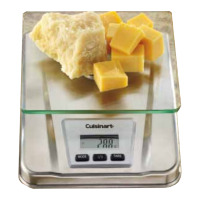
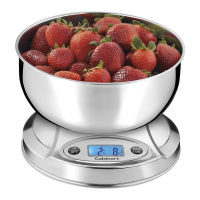
2. Choose to weigh directly on the glass platform, or use a bowl or
glass container for sanitary food handling (see Tare Function).
3. Press the |/O button to turn the scale on. “HI” rst appears on
the display followed by “0” g, indicating the scale is ready
for use.
4. Place the object/food item to be weighed on the platform and
read the weight on the LCD screen.
* A small “O” symbol indicates the scale is level enough for accurate
readings.
NOTES: Weights are displayed in 1 g increments. The scale will
read up to 5.2 kg, after which “O-Ld” is displayed on the screen.
This means the scale is overloaded. Do not touch any parts of the
scale with your hands while weighing is in progress. The scale is
very sensitive and may pick up extra readings.
CHANGING MODES
To change from metric (kg/g) to imperial (lbs/oz) mode at anytime
during use, press the MODE button once.
TARE FUNCTION
WEIGHING WITH A BOWL
You may want to weigh ingredients in a bowl or other container.
The tare option offsets the weight of the bowl so that you are only
weighing the ingredient. If you remove the bowl from the scale, a
minus weight (weight of bowl) appears in the display.
1. Place a bowl on the scale platform.

Question and Answer IconNeed help?

Do you have a question about the Cuisinart KS-56C and is the answer not in the manual?

Summary

Cuisinart Kitchen Scales Operation and Care

Operating Instructions

Initial setup steps, including removing protective films before first use.

Installing the Battery

Guide on how to insert batteries and a note about low battery indication.

Weighing Items

Step-by-step guide for placing items on a level surface and reading the weight.

Changing Measurement Modes

Instructions to switch between metric (kg/g) and imperial (lbs/oz) measurement units.

Tare Function for Weighing

How to use the tare option to offset container weight for accurate ingredient measurement.

Add and Weigh Feature

Detailed procedure for weighing multiple ingredients sequentially by taring each addition.

Automatic Shut-off and Manual Power

Information on the scale's automatic power-saving feature and manual power-off options.

Understanding Display Messages

Explanations for common scale display indicators like 'HI', '0', and 'O-Ld'.

Cuisinart Kitchen Scale Cleaning and Maintenance

Essential Precautions

Key safety warnings and precautions for proper scale operation and care.

Cuisinart Kitchen Scale Warranty and Support

3-Year Limited Warranty Details

Overview of warranty coverage, exclusions, registration, and product care.

Customer Service and Returns

Contact information for service, ordering parts, and warranty claim procedures.

Summary

Cuisinart Kitchen Scales Operation and Care

Operating Instructions

Initial setup steps, including removing protective films before first use.

Installing the Battery

Guide on how to insert batteries and a note about low battery indication.

Weighing Items

Step-by-step guide for placing items on a level surface and reading the weight.

Changing Measurement Modes

Instructions to switch between metric (kg/g) and imperial (lbs/oz) measurement units.

Tare Function for Weighing

How to use the tare option to offset container weight for accurate ingredient measurement.

Add and Weigh Feature

Detailed procedure for weighing multiple ingredients sequentially by taring each addition.

Automatic Shut-off and Manual Power

Information on the scale's automatic power-saving feature and manual power-off options.

Understanding Display Messages

Explanations for common scale display indicators like 'HI', '0', and 'O-Ld'.

Cuisinart Kitchen Scale Cleaning and Maintenance

Essential Precautions

Key safety warnings and precautions for proper scale operation and care.

Cuisinart Kitchen Scale Warranty and Support

3-Year Limited Warranty Details

Overview of warranty coverage, exclusions, registration, and product care.

Customer Service and Returns

Contact information for service, ordering parts, and warranty claim procedures.

Cuisinart KS-56C Specifications

General IconGeneral
DisplayLCD
MaterialStainless Steel
Auto-OffYes
Tare FunctionYes
Batteries IncludedYes
TypeKitchen Scale
Capacity11 lb / 5 kg
Increments1 g
Power SourceBattery (2 AAA)
Units of MeasurementOunces, Grams, Pounds, Kilograms

Related product manuals