EasyManua.ls Logo

CUKTECH PB100P - Functions of Buttons; Enter Low Current Mode; Shutdown

Default Icon
50 pages
Print Icon
To Next Page IconTo Next Page
To Previous Page IconTo Previous Page
Loading...
󵹅
Functions of Buttons
󵼞󵾧
󵹄󵼝󵾧󵾧
󵼜
󵼝
󵹇󵹆
󵼜
󵼨󵹂󵹆󵹁󵽯󵹂󵹃󵹁=󵹇
󵹃󵹂󵹁=󵹄󵽰󵼝
󵼜
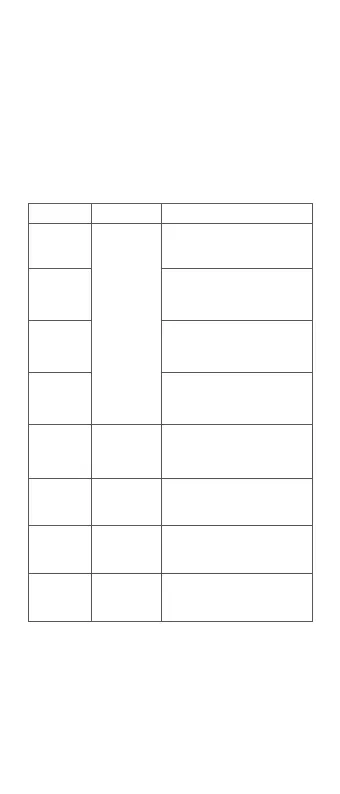
Screen status  Functions

Single click
button
Single click
button


working status

󵼝
the button to switch from the
first-level interface to the
second-level interface


󵼝
the button to switch from the

long light selection interface
󵼝
the button to switch from the
screen long light selection
interface to the rest screen

state

status
Double click
button
Double click the button to enter
󵼜
󵼝
exit the low current mode
Low current
mode with
bright screen
Exit the low current mode and
the low current icon on the


on selection
interface
Press and hold
the button for
󵹃


Press and hold
the button for 5
seconds
Press and hold the button for 5
seconds to shut down the entire
machine and turn off the screen

󵼨󵼞󵼝
󵼜

Related product manuals