Rev. 1/15 AC100/200 series 5
SPACE COOLER OPERATION
Cooling ON
1. Open and fill water tank (use clean water only) to the bottom of the fill basket. DO NOT OVER FILL,
then replace water cap. (Important: Fully tighten tank cap to ensure proper cooling function)(fig. 1).
Overfilling could cause water streaming during shutdown.
2. Plug the power supply DC Jack into the power port on the unit (fig. 2).
3. Plug the power supply into a GFCI protected 120v 60Hz rated outlet. (fig. 3).
4. Press the power button to turn on the product (fig 4). The fan speed will start on low speed.
5. Press the fan button incrementally to increase the fan speed (low, med, high) (fig 5).
6. Turn on the cooling function by pressing the cooling button (fig 6).
7. It’s recommended to fully close the Cooling Dial by turning to the right then open it by turning to the left
1-2 full turns. This will help speed up the priming process. Please allow up to 1 minute for priming.
8. Once atomization is visible, adjust to your desired comfort level by turning the cooling dial left or right in
very small increments. (Refer to ADJUSTING COMFORT LEVEL section, to get optimal cooling
performance) (fig. 6).
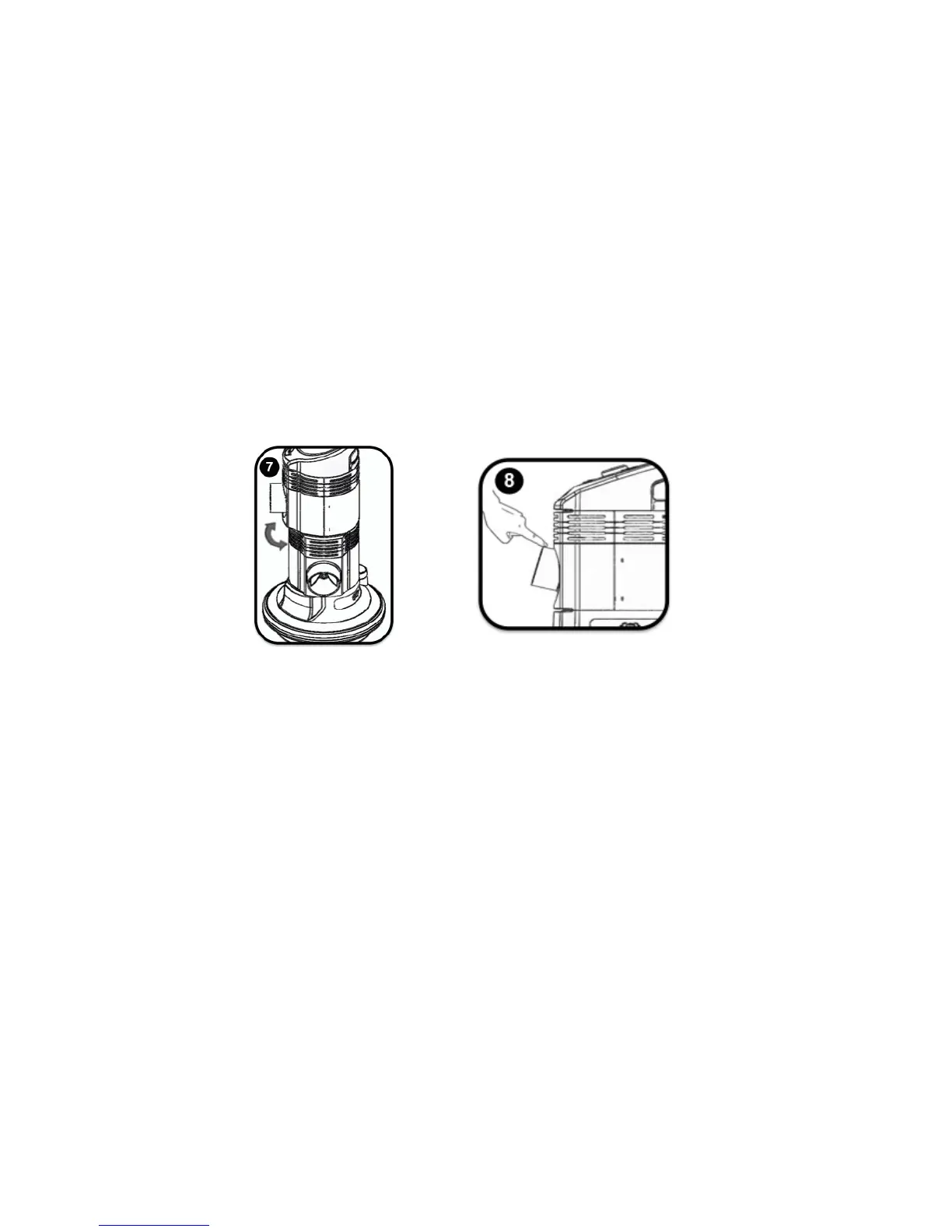
9. The cooling port(/s) can be rotated up to 90º from center in the left or right directions (fig. 7).
10. The cooling port(/s) can be tilted up to 30º from center vertically (fig. 8).
Cooling OFF
1. The cooling function can be turned off by pressing the cooling button (fig. 6).
2. Pressing the power button will turn off all functions. (fig. 4).
Note: The space cooler will continue to atomize for a short time while the unit depressurizes
ADJUSTING COMFORT LEVEL
CAUTION: Do not over tighten and/or loosen the cooling dial.
The cooling function of this product is adjusted by turning the cooling dial on the space cooler control panel to
the right or to the left. It may take a minute for cooling to start. It is normal for air to come out of the nozzles
before the cooling begins.
To optimize the cooling effectiveness of your space cooler, you can operate the unit with low or high
atomization, based on your comfort preference.
! Increase the density by turning the cooling dial to the left.
! Decrease the density by turning the cooling dial to the right.
Operating Tips
For dry climates, increasing the cooling density will provide maximum cooling results. In humid climates, a
reduced cooling density is recommended.


 To Next Page
 Loading...