D I S P L A Y
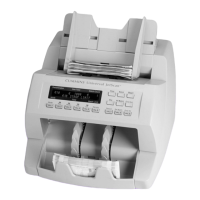
JetScan has identified a note
that is different than those being
processed.
Remove the top note from the pocket indicated on the screen.
Press CONT to continue.
D I S P L A Y
JetScan has identified a sorting error.
Remove all notes from the pocket indicated on the screen and place them
in the hopper. Then press CONT.
D I S P L A Y
If JetScan is configured in SETUP
to stop on non-oriented notes, it will
stop and display “ORIENTATION
ERROR” when a non-oriented note is
processed.
Remove the top note in the pocket indicated on the screen, correct its
orientation, and put it back in the same pocket. Then press CONT.
This note will be added to the appropriate strap, sub-batch, batch and
day counts.
D I S P L A Y
The number of notes in the pocket
indicated on the screen has reached
the preset “STRAP LIMIT.”
Remove the notes from the pocket indicated on the screen.
JetScan automatically will continue if there are additional notes remaining
in the hopper.
D I S P L A Y
JetScan has sorted 150 notes into
the pocket indicated on the screen
and reached a “STACKER FULL”
condition.
Remove all notes in the pocket indicated on the screen.
If there are additional notes in the JetScan, it automatically will restart.
D I S P L A Y
JetScan has processed two or
more notes that were improperly
spaced.
Remove all notes in the pocket indicated on the screen and place them in
the hopper. Press CONT to restart processing. JetScan will revert to the
previous starting point before the “SPACING ERROR” occurred, with no
impact on strap, sub-batch, batch and day counts.


 To Next Page
 Loading...