Finishing Steps
Trim Code Installation Instructions: INSITE™ 7.3
Feature Pack 1 and Newer
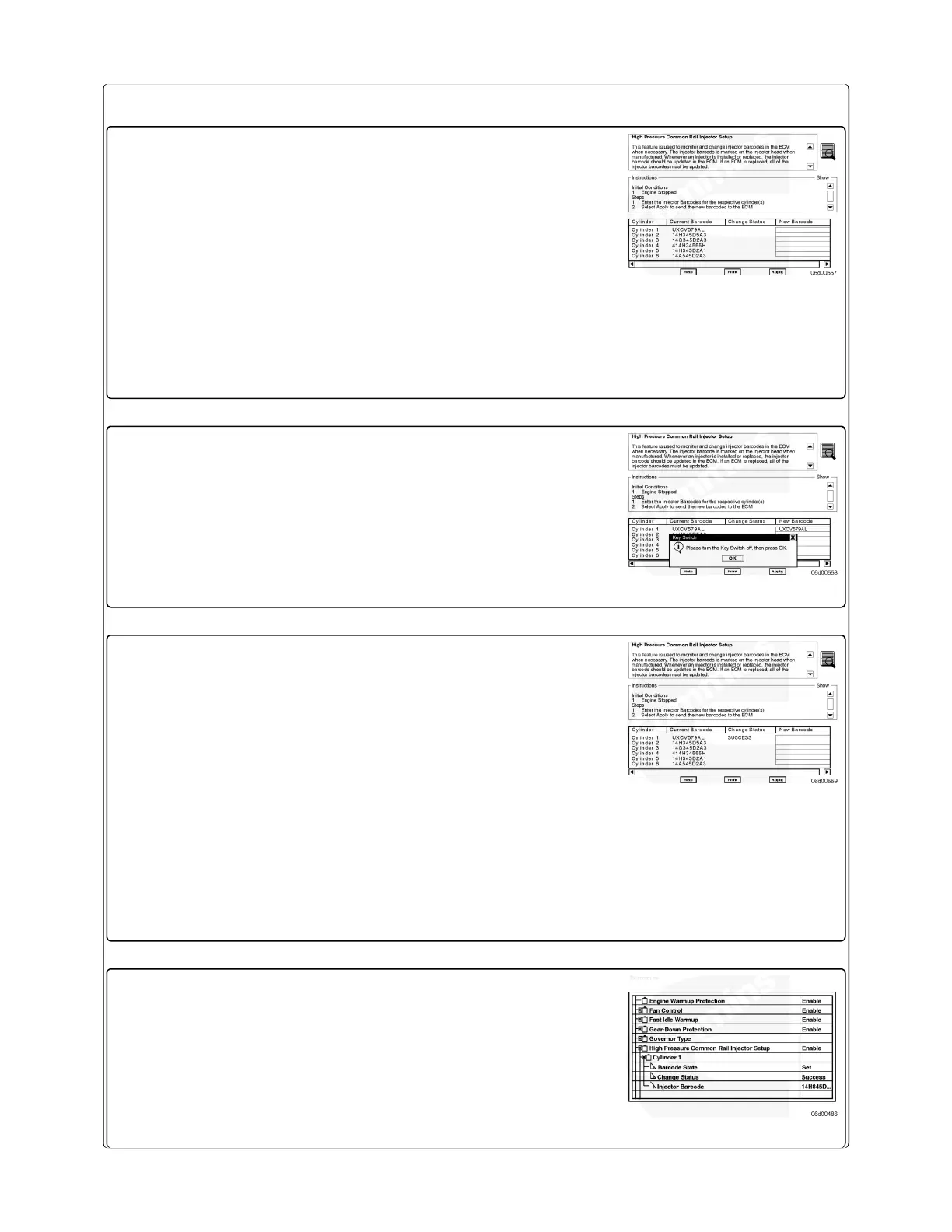
1. Connect INSITE™ electronic service tool to the
ECM.
2. Select "Advanced ECM Data".
3. Select "High Pressure Common Rail Injector Setup"
4. Read the information listed under the "High
Pressure Common Rail Injector Setup" and
"Instructions" headings.
1. Click on the "New Bar Code" section for the
respective cylinder and enter the new bar code.
2. After all the injector trim information is entered,
select "Apply". Turn the keyswitch OFF, then press
the "OK" button to send the new barcode(s) to the
ECM.
1. After INSITE™ electronic service tool reconnects
with the ECM, verify that the "Change Status" =
"Success".
Note: If "Change Status" = "Error Occurred",
"Invalid Barcode", "Invalid Cylinder Number", or
"Duplicate Barcode", check for the following:
• Verify the correct injector trim code was recorded
from the injector.
• Re-enter the trim codes.
2. Clear all inactive faults.
Trim Code Installation Instructions: Pre-INSITE™
7.3 Feature Pack 1
1. Connect INSITE™ electronic service tool to the
ECM.
2. Select "Features and Parameters".
3. Select "High Pressure Common Rail Injector Setup"



 To Next Page