16
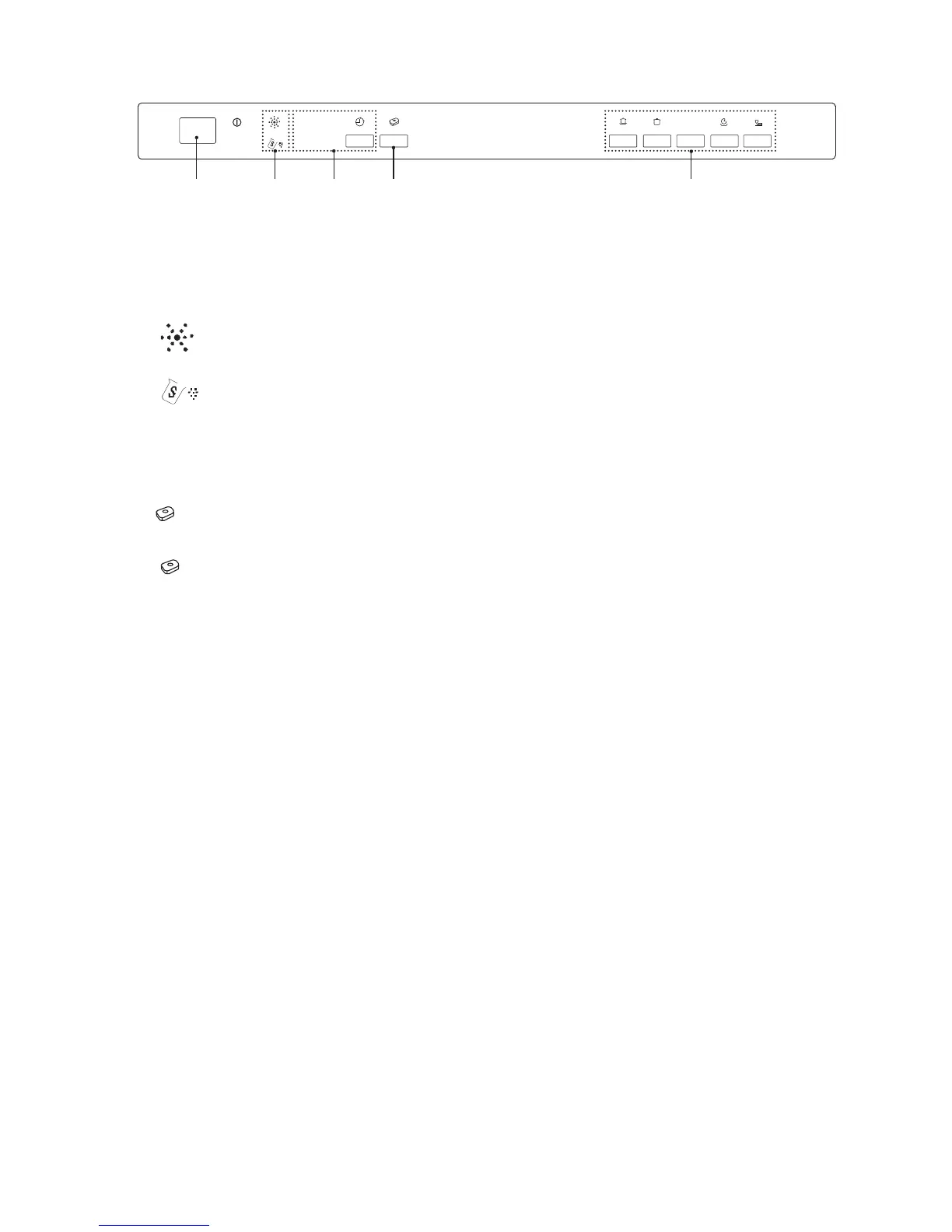
Control Panel
3h
9h
6h
12h
1h
ECO
1 2 3 4 5
1. On/Off Button
• To turn the dishwasher on and off.
Power On light
• Illuminates when On/Off button is pressed.
2.
Rinse Aid Refill Warning Light
• Illuminates when the rinse aid dispenser needs refilling.
Salt Refill Warning Light
• Illuminates when the salt reservoir needs refilling.
3 Delay Start Button and Indicator Lights
• Press to preset the wash timer and delay the starting time by up to 12 hours.
• Illuminates when different delay start time is selected: 3 hours, 6 hours, 9 hours or 12 hours.
4.
Function Button
• Press to select the 3 in 1 function in washing cycle.
Indicator Light
• Illuminates when the 3 in 1 function is selected.
5. Programme Control Buttons
• Press to select your required washing programme.


 To Next Page