OPERATING INSTRUCTIONS
10
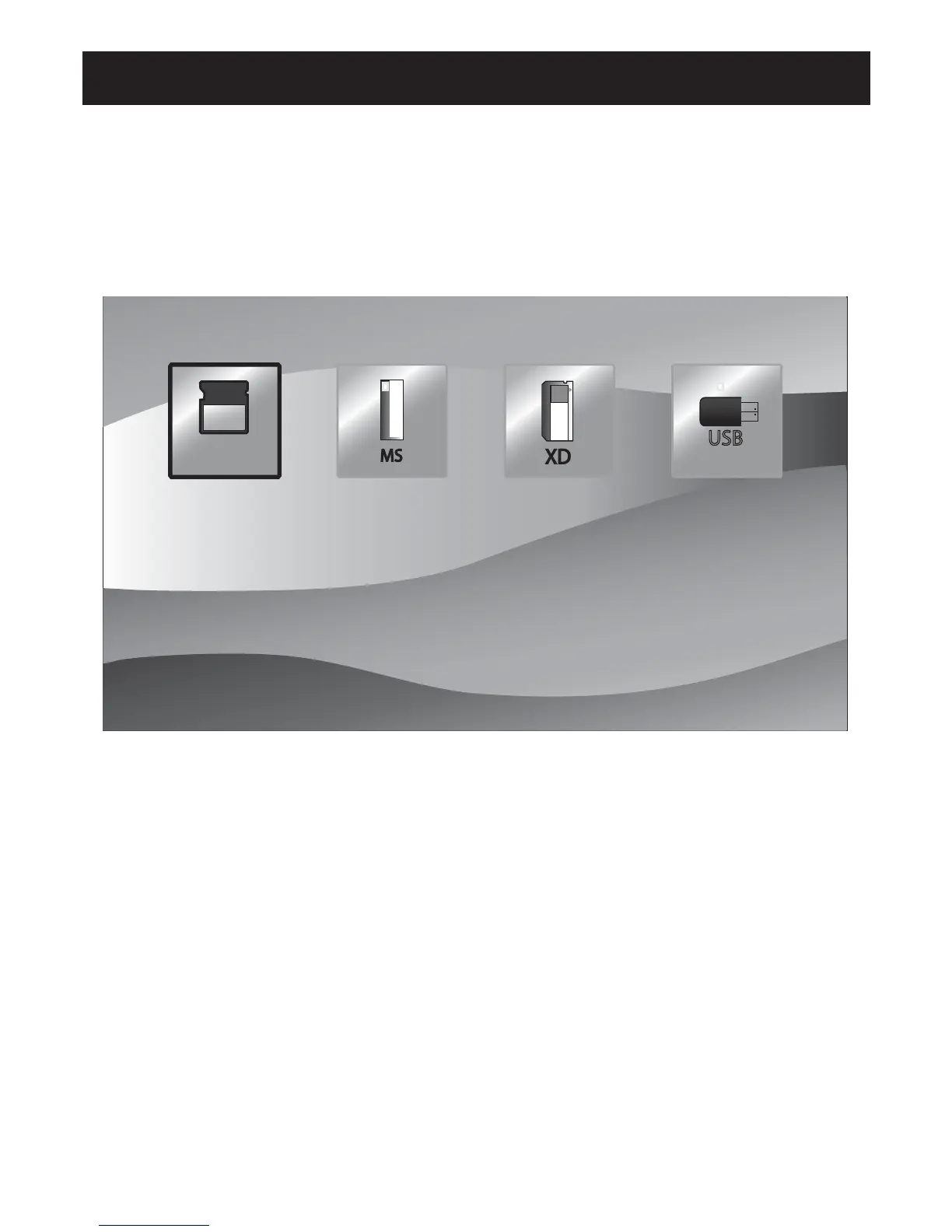
2. Card slect menu
In the function select menu , you can press LEFT / RIGHT to select to the highlight
icon which shows the card is inserted or not. ăExhibit 3.Ą
Press enter to display file list in the card . Press MENU to return to function
select menu.
3. File List Screen
With USB device/Memory cards rightly inserted into the Digital Picture Frame:
volume label list screen displays. (Exhibit 4)
Actions:
a) Press UP/DOWN to select a volume label, then press ENTER to
enter the filelist.
b) Press UP/DOWN to select a file/folder, then press RIGHT to enter the folder
or press ENTER to play the file. (Exhibit 5)
c) Press LEFT to return to previous directory.
d) Press MENU to return to card select menu.
DIGITAL PHOTO FRAME
SD/MMC
MS
USB



 To Next Page