Need help?
Do you have a question about the Curtis DPF710 and is the answer not in the manual?
Turn off power before inserting or removing memory cards to prevent damage to the unit or card.
Caution against opening the unit and exposing it to dangerous voltages or liquids.
Guidelines for safe operation including power adapter, water proximity, heat sources, and cleaning.
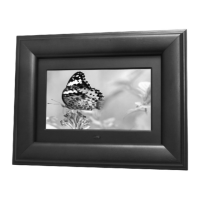
Details the digital photo frame's capabilities including screen size, resolution, and supported memory cards.
Lists the items included in the product packaging, such as the frame, manual, and power adapter.
Provides detailed technical data including panel size, resolution, brightness, and power requirements.
Identifies controls on the back of the unit: POWER, ENTER/MODE, RIGHT, LEFT, and RETURN buttons.
Details the side ports: USB input jack, Memory card slot, and Power input jack.
Instructions on setting up the frame, inserting memory cards, and turning the unit on.
Explains how to switch between display modes (standard, full screen, zoom) and navigate photos.
Advice on handling the device, avoiding vibrations, moisture, and using a soft cloth for cleaning.
Answers to frequently asked questions regarding supported photo formats and system response.
 General
| Brand | Curtis |
|---|---|
| Model | DPF710 |
| Category | Digital Photo Frame |
| Language | English |

 To Next Page