3
PLAYING COMPACT DISC
•
Getting start
1. Set the Function selector to “CD” position.
Lift open the CD door.
Put a CD into the compartment and close the CD door.
2. After a few seconds, the unit will scan the disc and
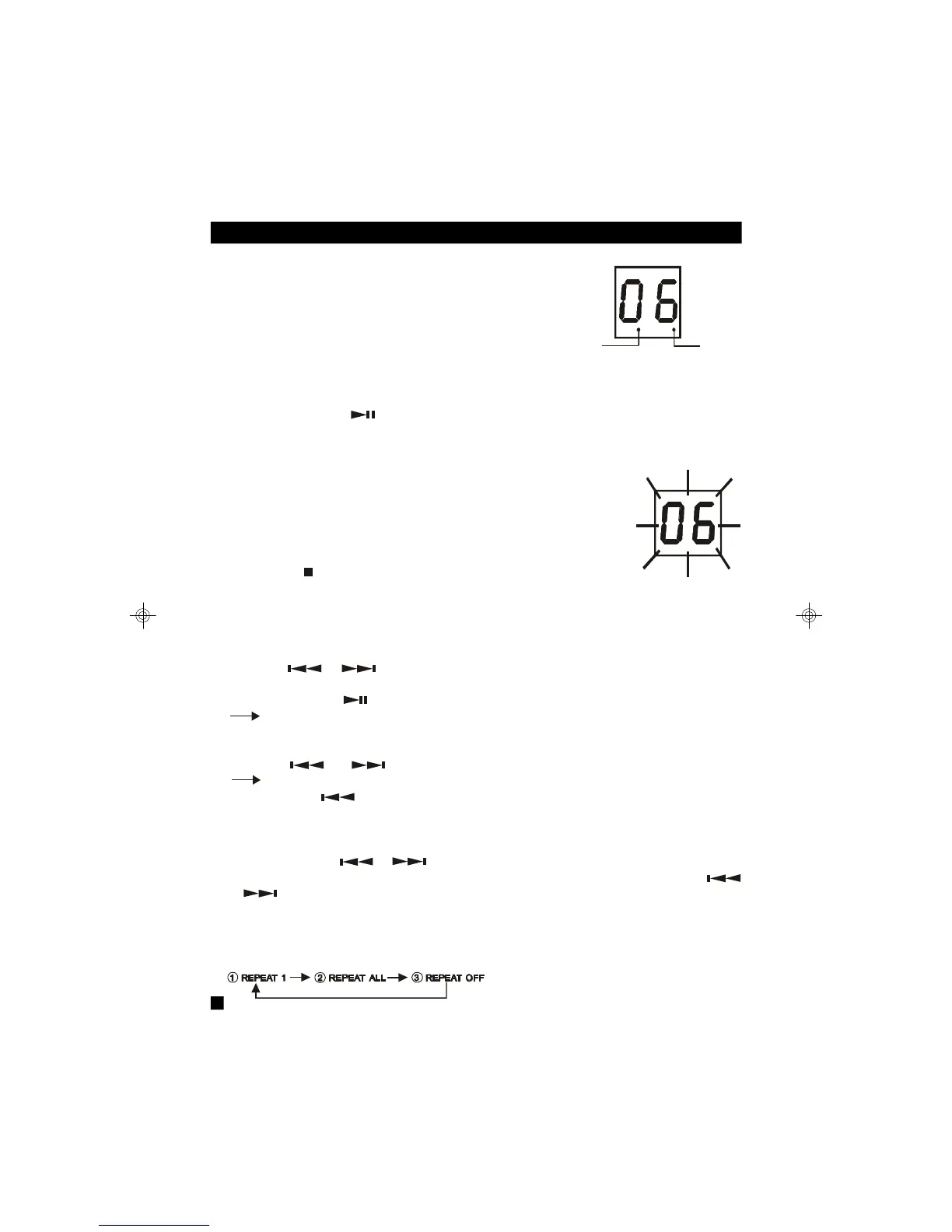
the display will show the total number of tracks on the disc.
• PLAY / PAUSE MODE
1. If PLAY / PAUSE button is pressed during Stop mode, the first track will be played and the CD
PLAY indicator will be on.
2. If PLAY /PAUSE button is pressed during Play mode,
the track number will flash.
• STOP MODE
1. Press STOP button to stop play at any time.
when the last track has played, the player will antomatically stop.
• Selecting a desired track
Selecting a desired track in Stop mode
1. Press Skip or until the desired track appears on the LED display.
2. Press PLAY / PAUSE to start play.
The selected track number appears on the LED display.
Selecting a desired track during Play mode
1. Press skip or until the desired track appears on the LED display.
The selected track number appears on the LED display.
• If you press Skip once it will skip to the beginning of the current track and play the track
again.
• searching for a particular passage during play
Press and hold Skip or until the desired passage is located. During the search the
sound is played faster than normal at a reduced volume. Play returns to normal when Skip
or is released.
• REPEAT MODE
1. In the play mode, press CD MODE button. A single track or all tracks can be repeated.
Each press switches the repeat mode.
PROG./CD PLAY
INDICATOR
REPEAT
INDICATOR


 To Next Page