
EasyManua.ls Logo

Custom Autosound USA 740 - User Manual

Custom Autosound USA 740
21 pages
Print Icon
To Next Page IconTo Next Page
Loading...
User's Manual
THE ORIGINATOR OF CLASSIC
VEHICLE OEM FIT RADIOS
SINCE 1977
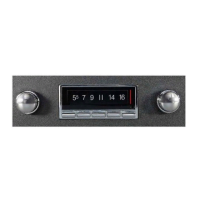
USA 740
RADIO
HIGH POWER 300 WATTS
AM/FM with RDS & 25 Pre-sets
7 LCD Color Choices (selectable)
CD Controller
Auxiliary In
Subwoofer Line out w/ x-over
Front/ Rear Fader
Left/Right Balance
Bass / Mid / Treble Control
DSP EQ
Clock
USB Jack charge for mobile phones
USB MP3/WMA Player
Loudness Function
Last Volume Memory
RCA Pre-out 5v (2 Pair)
Auto Antenna lead
AM/FM WITH RDS TUNER,
BLUE TOOTH and VA DISPLAY
READY TO INSTALL IN YOUR ORIGINAL DASH
NO ASSEMBLY REQUIRED!
BlueTooth
Aux1 and Aux2 (on front)
/FLAC/WAV

Questions and Answers

Summary

Introduction

Radio Installation

Rear Mounting Strap Warranty Warning

Warning that omitting the rear mounting strap can void the product warranty.

Power and Speaker Connections

Main Power and Memory Wiring

Connecting the red (main power) and yellow (memory backup) wires.

Antenna and Ground Wire Connections

Connecting the blue (antenna) and black (ground) wires.

Speaker and Auxiliary Input Wiring

Connecting speaker wires, AUX inputs, and low-level outputs.

Semi Automatic Antenna Warning

Crucial warning against connecting semi-automatic antennas to prevent radio damage.

Wiring Diagram and Controls

Radio Controls Overview

An overview of the radio's physical controls and their functions.

Radio Operation Basics

Power On;Off and Volume Adjustment

Instructions for turning the unit on/off and adjusting the volume level.

Source Selection and Traffic Announcement

Selecting listening sources and activating the Traffic Announcement (TA) function.

Clock Display and Bluetooth Call Management

Displaying the clock, viewing song info, and handling incoming/outgoing calls.

Preset Recall and Media Playback

Recalling radio presets and controlling playback for USB/CDC/Bluetooth audio.

Advanced Operation and Audio Tuning

Preset Management and Media Navigation

Recalling/storing presets and navigating USB/CDC folders/discs.

Track Selection and Audio Adjustments

Skipping tracks and adjusting audio properties like EQ, Bass, Mid, Treble, Balance, Fader.

System Menu and Display Settings

System Menu Navigation

Instructions for accessing and navigating the system menu for various settings.

Presets, Playback Modes, and Band Search

Storing presets, repeat play, selecting radio bands, and searching tracks.

Station Scan, AUX Input, and LCD Display

Scanning stations, using AUX inputs, and adjusting LCD brightness/color.

Detailed Sound Property Adjustments

EQ and Tone Control Settings

Adjusting equalizer settings and bass, mid, treble frequencies.

Balance and Fader Controls

Adjusting stereo balance between left/right and front/rear speakers.

Advanced Audio and Subwoofer Configuration

Loudness and Subwoofer Output Control

Using the loudness function and turning the subwoofer output on/off.

Subwoofer Volume and Crossover Settings

Adjusting subwoofer volume and crossover point frequencies.

Detailed Tone and Crossover Adjustments

Making detailed bass, mid, treble, and crossover frequency adjustments.

Sub-Menu System Access and Options

Accessing the Sub-Menu System

Step-by-step guide to accessing and navigating the sub-menu system.

Dimmer and LCD Color Settings

Adjusting LCD brightness and selecting display color presets.

Display, Tuning, and Audio Output Options

Display Function and Screen Saver

Configuring screen display to show functions or clock, and setting screen saver.

Tuning Modes and Audio Output Settings

Selecting auto/manual tuning, LOCAL/DX, and stereo/mono audio output.

Radio Configuration and Bluetooth Features

Station Presets and Area Settings

Automatically filling presets and adjusting broadcast area settings.

Bluetooth Pairing and Connection Management

Pairing, connecting, and disconnecting Bluetooth devices.

Beep, Clock Sync, and Volume Preferences

Configuring beep confirmation, clock synchronization, and volume settings.

Advanced Features and USB Player

Region-Specific Tuning Features

PTY, TA SEEK, PI Sound, and Mask DPI options (Europe only).

RDS Information and USB Player Operation

Utilizing RDS for station info and playing media from a USB drive.

Bluetooth and CD Changer Operation

Bluetooth Device Pairing and Call Handling

Steps for pairing Bluetooth devices and managing calls.

CD Changer and Media Source Selection

Operating the CD changer and switching between media sources.

Noise Suppression and Troubleshooting

General Noise Suppression Guidance

Information on electrical noise and maintaining sound quality.

Identifying Electrical Noise Sources

Common sources of electrical noise in vehicle audio systems.

Alternator and Antenna Noise Solutions

Troubleshooting and eliminating alternator and antenna noise issues.

Further Noise Troubleshooting and Specifications

Ignition and Accessory Noise Solutions

Troubleshooting and eliminating ignition and accessory noise.

Technical Radio Specifications

Detailed technical specifications for FM, AM, and Audio sections.

Troubleshooting Guide and System Reset

Troubleshooting Common Radio Problems

A guide to common problems, their causes, and solutions.

System Reset Procedure

Instructions for resetting the radio to its factory default settings.

Limited Warranty Information

Product Warranty Terms and Conditions

Details of the product's limited warranty period, coverage, and exclusions.

FCC Compliance Information

FCC Requirement Statement

Statement regarding FCC compliance, interference, and user responsibilities.

Custom Autosound USA 740 Specifications

General IconGeneral
BrandCustom Autosound
ModelUSA 740
CategoryRadio
LanguageEnglish