www.cuttermasters.com - Toll Free (800) 417 2171
CUTTERMASTER Professional JXT User’s Manual
Page 23
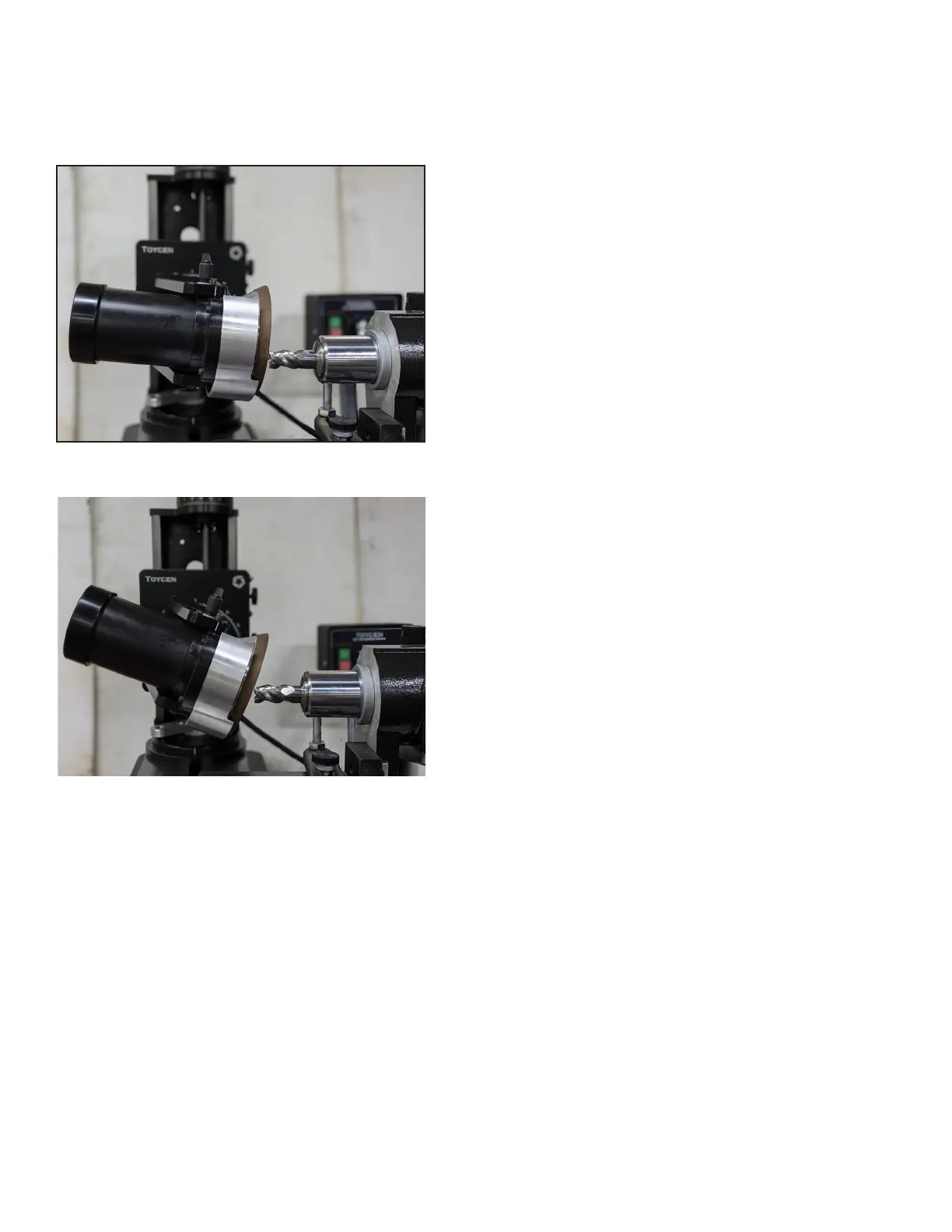
End Grinding the Secondary with Face of Wheel
End Grinding the Primary with Face of Wheel
3.4 Grinding the Ends of Standard End Mills: Primary and Secondary Angles
Face of Wheel Approach - Right
1. Set up. Remove the stylus assembly from the air
bearing. Slide the motor back, about halfway on the
y-axis table. Loosen the swivel base nut, rotate it 90°
clockwise,andslidetheairbearingxturetotheleft
so that the end mill now faces the wheel. Set the mo-
tor/spindle angle to negative 4°.
Mount the Wheel. If not done, mount the grinding
wheel and check that it is true and dressed (Chapter
1.6). Recommended wheel is a resin bond 11V9C
aredcupwheel.UsetheCM-WTDWheelTruing
Device if the wheel needs to be trued.
Load the tool. If not done, choose the appropriate 5C
collet for your end mill and mount it in the air bearing
xtureandtightenthedrawbarrmly.Besurethatcol-
let, collet threads and and inner quill are devoid of any
dirt.
2. Set the air bearing. Repeat the same procedure
asfromchapter3.3steps2and3;allowingforend
dish,settingtheutessquaretothetable,settingthe
indexing ring.
3. Set motor tower.
Set the motor tower angle to -7° and the height to


 To Next Page