EasyManua.ls Logo

CVS KD-2220 - User Manual

CVS KD-2220
4 pages
Print Icon
To Next Page IconTo Next Page
Loading...
1
2
3
Contents
INSTRUCTION
MANUAL
0197
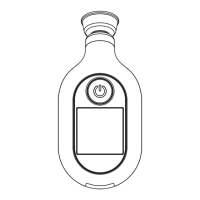
Digital Temple
Thermometer
Model KD-2220
IMPORTANT !
Read instruction manual
before using themometer
..................2
Parts Identification...........................4
Preparation for Use.........................5
How to Operate the
Thermometer...................................6
Memory Mode..................................8
Cleaning and Care..........................10
Troubleshooting and Special
Indications.....................................11
Specifications .......................
........12
Limited Warranty...........................13
FCC Statement..............................14
Quick Start
POWER SOURCE
SIZE AAA 1.5V x 2 (included)
WARRANTY:
ONE YEAR FROM THE DATE OF PURCHASE
(excluding batteries)
...wonK ot sgnihT tnatropmI
1. Install batteries into the thermometer making
sure the polarity is correct.
2. Press and release the POWER button. Unit
will beep once. Wait until it beeps again
twice and only °F shows in the display.
Do not place the probe to the temple before the
2 beeps or while the hour glass is still displayed
3. Place and hold the thermometer probe
firmly to the skin at the temple, wait several
seconds for the device to beep once more.
Once you place the probe to the temple, there is
no need to press the POWER button again. Doing
so will turn the unit off.
4. Read the temperature on the display.
1. Use the thermometer to measure your
temple temperature only, the area be-
tween the outer corner of the eye and
the hairline, over the temporal artery.
2. Do not place the thermometer on
scarred tissue, open sores or
abrasions.
3. Using drug therapies can raise skin
temperature, which may lead to
incorrect measurements.
4. Do not dismantle the unit except to
replace the batteries.
5. Children should not use the ther-
mometer without adult supervision.
6. Do not drop or expose thermometer
to electric shock as this may adversely
affect its performance.
7. The thermometer is not waterproof.
Do not immerse it in water or liquid of
any kind.
8. To ensure correct readings, wait at
least 2 minutes between continuous
measurements for the thermometer
to return to room temperature.
9. Do not use the thermometer around
flammable materials.
10. Stop using the thermometer if
malfunctions appear or if it operates
abnormally.
11. Clean the thermometer probe after
each measurement.
12. Do not take a measurement if the
temple area has just been exposed
to direct sunlight, fireplace heat or air
conditioner flow, as this may lead to
incorrect readings.
13. If thermometer has been kept or
stored in a cold temperature, please
wait at least 1 hour for it to return to
room temperature before measuring.
14. Performance of the thermometer may
be degraded if the unit is operated or
stored outside the stated temperature
or humidity ranges, or if the patient’s
temperature is below room temp.
15. Body temperature, like blood pressure,
varies from person to person. During
the day, it can range from 95.9°F to
100.0°F (35.5 to 37.8°C). For some
people there can be a difference be-
tween their temple and body temp.
We recommend learning what your
normal temple temperature is while
healthy so you can detect an elevated
one when you become ill. For
accuracy, be sure to measure the
same area of the temple each time.
16. Avoid taking a measurement for at
least 30 minutes after physical
exercise, bathing or eating.
17. Make sure the temporal area is dry
and clean of sweat, make-up, etc.
19. Calibration is recommended every
two years.
Important Things to Know Important Things to Know
18. The device is intended for consumer
use only.
Question and Answer IconNeed help?

Do you have a question about the CVS KD-2220 and is the answer not in the manual?

Summary

Important Things to Know

Temple Measurement Area

Measure temperature only at the temple, between the eye and hairline.

Avoid Damaged Skin

Do not place the thermometer on scarred tissue, open sores, or abrasions.

Drug Therapy Effects

Drug therapies can raise skin temperature, potentially leading to incorrect measurements.

Unit Handling Precautions

Do not dismantle, drop, expose to electric shock, or immerse in water.

Continuous Measurement Delay

Wait at least 2 minutes between measurements for accurate readings.

Environmental Factors

Avoid direct sunlight, fireplace heat, or air conditioner flow for accurate readings.

Temperature Acclimation

Wait at least 1 hour for cold-stored thermometers to reach room temperature.

Normal Body Temperature Variation

Body temperature varies; learn your normal temple temperature when healthy.

Activity and Eating

Avoid measurements for 30 minutes after exercise, bathing, or eating.

Temple Area Preparation

Ensure the temporal area is dry and clean of sweat or make-up.

Calibration Recommendation

Calibration is recommended every two years for optimal performance.

Quick Start

Parts Identification

Preparation for Use

How to Operate the Thermometer

Switching Between Scales

Switch between Fahrenheit (°F) and Centigrade (°C) scales within 3 seconds of turning on.

Memory Mode

Recalling Memories

Press and hold power button for 3 seconds to view recent memories, scroll by pressing again.

Deleting All Memories

Hold power for 3 seconds to display 'dEL', press again to delete all stored memories.

Cleaning and Care

Troubleshooting

Error Code Er.1

Temperature measured was higher than the specified range. Wait 2 minutes and try again.

Error Code Er.2

Ambient temperature was outside operating range. Acclimate unit to room temperature.

Error Code Er.3

Poor contact caused measurement stop. Power off and measure again.

Malfunction Indicator

Thermometer malfunctioned. Contact distributor for assistance.

Low Battery Indicator

Indicates low battery condition. Replace batteries immediately.

Specifications

Measurement Parameters

Details on measurement time, location, range, environment, and storage conditions.

Accuracy Standards

Specifies accuracy tolerances for Fahrenheit and Celsius measurements.

Device Power and Battery

Information on battery type, life, and device classification.

Physical Dimensions and Memory

Details weight, dimensions, memory capacity, and auto shut-off.

Limited Warranty

Warranty Coverage

One-year guarantee against manufacturer defects under normal use.

Warranty Exclusions

Lists conditions that void the warranty, such as improper operation or tampering.

Contact for Support

Instructions on what to do if the thermometer is not functioning properly.

FCC Statement

Radio Frequency Interference

Information on compliance with FCC rules for potential radio/television interference.

User Interference Correction

Measures users can take to correct interference if it occurs.

Summary

Important Things to Know

Temple Measurement Area

Measure temperature only at the temple, between the eye and hairline.

Avoid Damaged Skin

Do not place the thermometer on scarred tissue, open sores, or abrasions.

Drug Therapy Effects

Drug therapies can raise skin temperature, potentially leading to incorrect measurements.

Unit Handling Precautions

Do not dismantle, drop, expose to electric shock, or immerse in water.

Continuous Measurement Delay

Wait at least 2 minutes between measurements for accurate readings.

Environmental Factors

Avoid direct sunlight, fireplace heat, or air conditioner flow for accurate readings.

Temperature Acclimation

Wait at least 1 hour for cold-stored thermometers to reach room temperature.

Normal Body Temperature Variation

Body temperature varies; learn your normal temple temperature when healthy.

Activity and Eating

Avoid measurements for 30 minutes after exercise, bathing, or eating.

Temple Area Preparation

Ensure the temporal area is dry and clean of sweat or make-up.

Calibration Recommendation

Calibration is recommended every two years for optimal performance.

Quick Start

Parts Identification

Preparation for Use

How to Operate the Thermometer

Switching Between Scales

Switch between Fahrenheit (°F) and Centigrade (°C) scales within 3 seconds of turning on.

Memory Mode

Recalling Memories

Press and hold power button for 3 seconds to view recent memories, scroll by pressing again.

Deleting All Memories

Hold power for 3 seconds to display 'dEL', press again to delete all stored memories.

Cleaning and Care

Troubleshooting

Error Code Er.1

Temperature measured was higher than the specified range. Wait 2 minutes and try again.

Error Code Er.2

Ambient temperature was outside operating range. Acclimate unit to room temperature.

Error Code Er.3

Poor contact caused measurement stop. Power off and measure again.

Malfunction Indicator

Thermometer malfunctioned. Contact distributor for assistance.

Low Battery Indicator

Indicates low battery condition. Replace batteries immediately.

Specifications

Measurement Parameters

Details on measurement time, location, range, environment, and storage conditions.

Accuracy Standards

Specifies accuracy tolerances for Fahrenheit and Celsius measurements.

Device Power and Battery

Information on battery type, life, and device classification.

Physical Dimensions and Memory

Details weight, dimensions, memory capacity, and auto shut-off.

Limited Warranty

Warranty Coverage

One-year guarantee against manufacturer defects under normal use.

Warranty Exclusions

Lists conditions that void the warranty, such as improper operation or tampering.

Contact for Support

Instructions on what to do if the thermometer is not functioning properly.

FCC Statement

Radio Frequency Interference

Information on compliance with FCC rules for potential radio/television interference.

User Interference Correction

Measures users can take to correct interference if it occurs.

CVS KD-2220 Specifications

General IconGeneral
BrandCVS
ModelKD-2220
CategoryThermometer
LanguageEnglish