CyberData Corporation
3 Justin Court, Monterey, CA 93940
www.cyberdata.net
P 831.373.2601 | F 831.373.4193
RING CENTRAL CONFIGURATION GUIDE: SIP PAGING ADAPTER (SPA)
Doc. 931050B Page 32
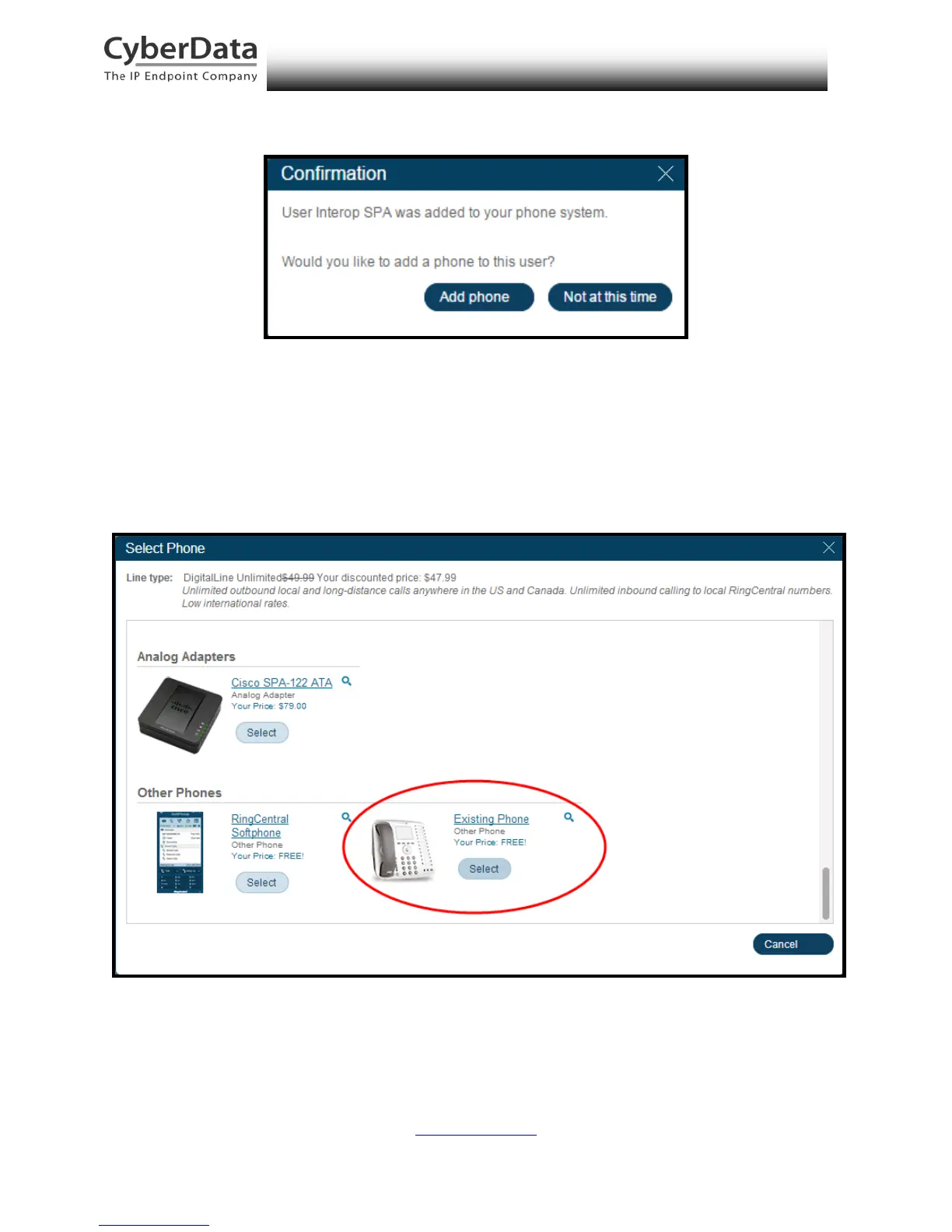
Figure 6-4. Add User Confirmation
5. A Welcome email will be sent to the email address from the Add User popup. Be sure
to follow the instructions in the Welcome email to activate the extension.
6. You will be asked to select a phone type. Click the Select button to choose an
Existing Phone.
Figure 6-5. Select Phone Type



 To Next Page