13
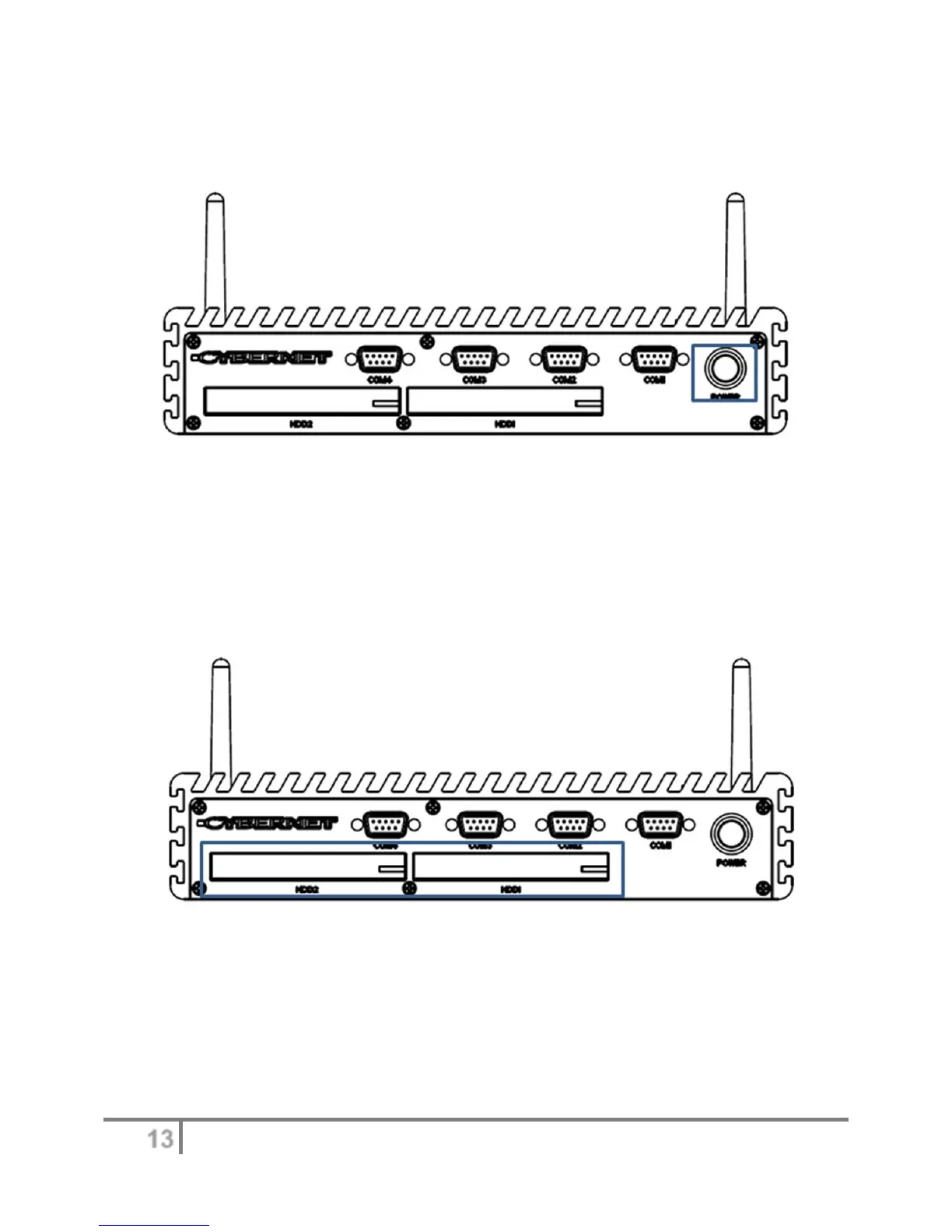
Figure2:FrontPanelI/Oview(Powerbutton)
There is a power button to switch on the System. The same button also switches off the System
when pressed for more than 4 seconds. There is a power LED around this power button to light
up a solid blue when the System is running. This LED will blink when in Sleep mode.
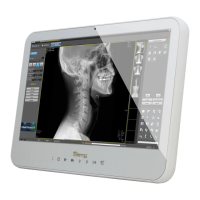
Figure3:FrontPanelI/Oview(HDD)
The IPC-R2ix is designed with easy access 2.5 inch SATAII HDD bays, which can be
locked. The picture on the left indicates the HDD1 bay. The HDD2 bay, with operating
system support, allows for hot swapping the hard drive, as long as data is not being
written to or read from the drive.


 To Next Page